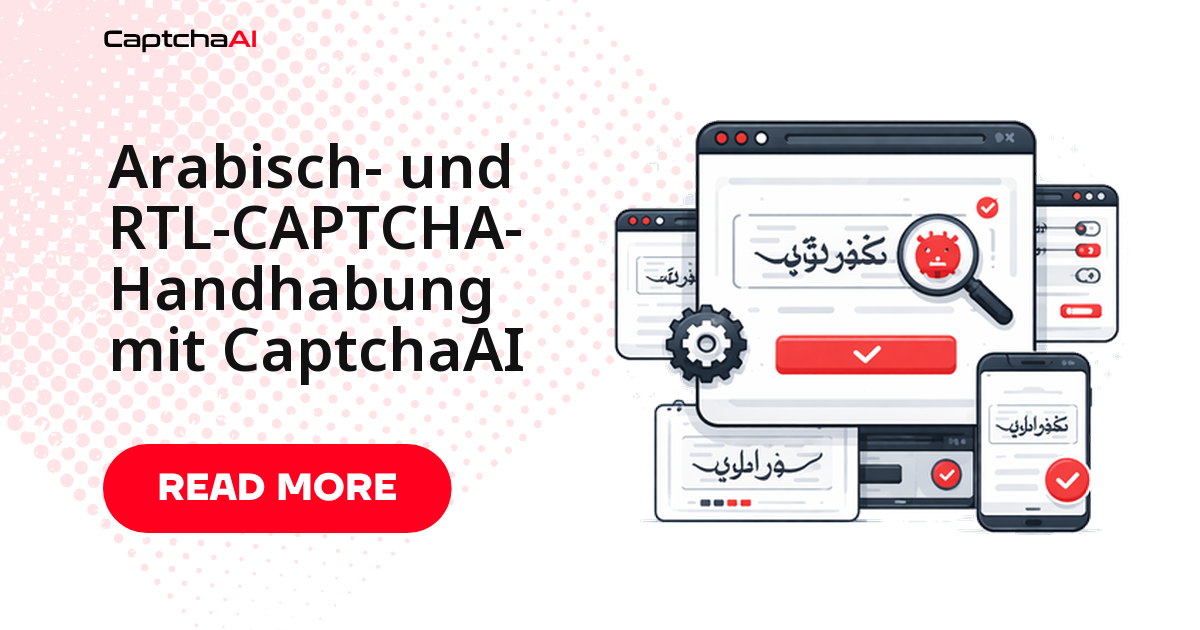
CaptchaAI liest arabische, persische und hebräische Bild-CAPTCHAs mit demselben OCR-Solver wie lateinische Zeichen – der entscheidende Schalter ist der Parameter language=2. Die eigentliche Hürde bei RTL-Seiten (Rechts-nach-links) ist selten die Zeichenerkennung, sondern das gespiegelte Seitenlayout und bidirektionaler Text, in dem sich arabische Buchstaben mit lateinischen Zahlen mischen. Dieser Leitfaden zeigt beides: das CAPTCHA lösen und den zurückgegebenen Text korrekt in ein RTL-Formular eintragen.
Warum RTL-CAPTCHAs eine Sonderbehandlung brauchen
Arabische Schrift ist verbunden: Derselbe Buchstabe sieht je nach Position im Wort anders aus – als Anfangs-, Mittel-, End- oder Einzelform. Für die Bilderkennung bedeutet das mehr Formvarianten pro Zeichen als bei lateinischer Schrift. Dazu kommt die Leserichtung und das gespiegelte Layout der Seite.
| Herausforderung | Was dabei passiert |
|---|---|
| Verbundene Zeichen | Arabische Buchstaben ändern ihre Form je nach Nachbarzeichen (Anfangs-, Mittel-, End- oder Einzelform) |
| Leserichtung rechts nach links | Der CAPTCHA-Text wird von rechts nach links gelesen |
| Bidirektionaler Text | Zahlen und lateinische Zeichen mischen sich mit arabischer Schrift |
| Diakritische Zeichen | Punkte und Zeichen über oder unter den Buchstaben verändern die Bedeutung |
| Gespiegeltes Layout | Formularfelder und CAPTCHA-Position sind gegenüber LTR-Seiten seitenverkehrt |
Für den OCR-Solver ist all das transparent, solange Sie language=2 setzen. Das gespiegelte Layout betrifft dagegen Ihre Automatisierung: Verlassen Sie sich nicht auf visuelle Positionen, sondern auf CSS-Selektoren oder IDs.
Arabische Bild-CAPTCHAs in Python lösen
Das folgende Beispiel deckt drei Schritte ab: ein arabisches Bild-CAPTCHA aus einer Datei lösen, dasselbe direkt von einer URL abrufen und den erkannten Text in ein RTL-Formular eintragen. Der Code übermittelt das Bild als Base64, fragt den Status im Polling-Verfahren ab und gibt den Text zurück, sobald die Lösung vorliegt.
import requests
import base64
import time

API_KEY = "YOUR_API_KEY"
SUBMIT_URL = "https://ocr.captchaai.com/in.php"
RESULT_URL = "https://ocr.captchaai.com/res.php"


def solve_arabic_captcha(image_path: str) -> str:
    """Solve an Arabic script image CAPTCHA."""
    with open(image_path, "rb") as f:
        image_b64 = base64.b64encode(f.read()).decode()

    resp = requests.post(SUBMIT_URL, data={
        "key": API_KEY,
        "method": "base64",
        "body": image_b64,
        "language": 2,          # Non-Latin character support
        "json": 1,
    }, timeout=30).json()

    if resp.get("status") != 1:
        raise RuntimeError(f"Submit: {resp.get('request')}")

    task_id = resp["request"]
    for _ in range(24):
        time.sleep(5)
        poll = requests.get(RESULT_URL, params={
            "key": API_KEY, "action": "get", "id": task_id, "json": 1,
        }, timeout=15).json()

        if poll.get("request") == "CAPCHA_NOT_READY":
            continue
        if poll.get("status") == 1:
            return poll["request"]
        raise RuntimeError(f"Solve: {poll.get('request')}")

    raise RuntimeError("Timeout")


def solve_arabic_captcha_from_url(session: requests.Session,
                                   captcha_url: str) -> str:
    """Download and solve an Arabic CAPTCHA from a URL."""
    resp = session.get(captcha_url, timeout=15)
    image_b64 = base64.b64encode(resp.content).decode()

    submit = requests.post(SUBMIT_URL, data={
        "key": API_KEY,
        "method": "base64",
        "body": image_b64,
        "language": 2,
        "json": 1,
    }, timeout=30).json()

    if submit.get("status") != 1:
        raise RuntimeError(f"Submit: {submit.get('request')}")

    task_id = submit["request"]
    for _ in range(24):
        time.sleep(5)
        poll = requests.get(RESULT_URL, params={
            "key": API_KEY, "action": "get", "id": task_id, "json": 1,
        }, timeout=15).json()

        if poll.get("request") == "CAPCHA_NOT_READY":
            continue
        if poll.get("status") == 1:
            return poll["request"]
        raise RuntimeError(f"Solve: {poll.get('request')}")

    raise RuntimeError("Timeout")


# --- RTL-aware form submission ---

def submit_form_with_arabic_captcha(
    form_url: str,
    captcha_url: str,
    form_data: dict,
    captcha_field: str = "captcha",
) -> requests.Response:
    """Complete an Arabic website form with CAPTCHA."""
    session = requests.Session()
    session.headers.update({
        "Accept-Language": "ar-SA,ar;q=0.9",
        "Content-Type": "application/x-www-form-urlencoded; charset=UTF-8",
    })

    # Load the form page to establish session
    session.get(form_url, timeout=15)

    # Solve the CAPTCHA
    captcha_text = solve_arabic_captcha_from_url(session, captcha_url)
    print(f"Arabic CAPTCHA solved: {captcha_text}")

    # Submit with the solved text
    form_data[captcha_field] = captcha_text
    response = session.post(form_url, data=form_data, timeout=30)

    return response


# --- Usage ---

# Simple Arabic image CAPTCHA
text = solve_arabic_captcha("arabic_captcha.png")
print(f"Arabic text: {text}")

# Form submission on Arabic site
response = submit_form_with_arabic_captcha(
    form_url="https://example.sa/registration",
    captcha_url="https://example.sa/captcha/generate",
    form_data={
        "name": "اسم المستخدم",   # Arabisch: Benutzername
        "email": "[email protected]",
    },
)
Der charset=UTF-8-Header im Content-Type ist bei arabischer Eingabe kein Detail, sondern Pflicht: Ohne ihn landen Ihre Formularwerte als kaputte Bytes auf dem Server. Für die eigentliche Formularlogik ist danach nur noch relevant, dass Sie das gelöste Token im richtigen Feld einreichen.
RTL-CAPTCHAs mit JavaScript und Playwright
Für browsergesteuerte Abläufe zeigt das JavaScript-Beispiel, wie Sie das CAPTCHA-Bild mit Playwright aus einer RTL-Seite auslesen, an CaptchaAI übermitteln und den zurückgegebenen Text in das Eingabefeld eintragen. RTL-Eingabefelder verarbeiten die Textrichtung selbst – Sie müssen den erkannten Text nicht manuell umkehren.
const API_KEY = "YOUR_API_KEY";
const SUBMIT_URL = "https://ocr.captchaai.com/in.php";
const RESULT_URL = "https://ocr.captchaai.com/res.php";
const fs = require("fs");

async function solveArabicCaptcha(imagePath) {
  const imageB64 = fs.readFileSync(imagePath, "base64");

  const body = new URLSearchParams({
    key: API_KEY,
    method: "base64",
    body: imageB64,
    language: "2",
    json: "1",
  });

  const resp = await (await fetch(SUBMIT_URL, { method: "POST", body })).json();
  if (resp.status !== 1) throw new Error(`Submit: ${resp.request}`);

  const taskId = resp.request;
  for (let i = 0; i < 24; i++) {
    await new Promise((r) => setTimeout(r, 5000));
    const url = `${RESULT_URL}?key=${API_KEY}&action=get&id=${taskId}&json=1`;
    const poll = await (await fetch(url)).json();
    if (poll.request === "CAPCHA_NOT_READY") continue;
    if (poll.status === 1) return poll.request;
    throw new Error(`Solve: ${poll.request}`);
  }
  throw new Error("Timeout");
}

// Inject CAPTCHA token into RTL page with Playwright
async function solveAndInjectRTL(page) {
  // RTL pages may position the CAPTCHA differently
  const captchaImg = await page.locator("img[id*='captcha'], img[class*='captcha']");
  const imgSrc = await captchaImg.getAttribute("src");

  // Download the image
  const buffer = await (await fetch(imgSrc)).arrayBuffer();
  const imageB64 = Buffer.from(buffer).toString("base64");

  // Solve
  const body = new URLSearchParams({
    key: API_KEY, method: "base64", body: imageB64,
    language: "2", json: "1",
  });
  const resp = await (await fetch(SUBMIT_URL, { method: "POST", body })).json();
  if (resp.status !== 1) throw new Error(`Submit: ${resp.request}`);

  const taskId = resp.request;
  for (let i = 0; i < 24; i++) {
    await new Promise((r) => setTimeout(r, 5000));
    const url = `${RESULT_URL}?key=${API_KEY}&action=get&id=${taskId}&json=1`;
    const poll = await (await fetch(url)).json();
    if (poll.request === "CAPCHA_NOT_READY") continue;
    if (poll.status === 1) {
      // Fill the input — RTL input handles text direction automatically
      await page.locator("input[name*='captcha']").fill(poll.request);
      return poll.request;
    }
    throw new Error(`Solve: ${poll.request}`);
  }
}

// Usage
const text = await solveArabicCaptcha("arabic_captcha.png");
console.log(`Arabic text: ${text}`);
Der Selektor img[id*='captcha'] findet das Bild unabhängig davon, ob es links oder rechts im gespiegelten Layout sitzt – genau deshalb ist positionsunabhängige Auswahl bei RTL-Seiten die robustere Wahl.
Unterstützte RTL-Skripte: Arabisch, Farsi, Hebräisch
Ein einziger Parameterwert deckt alle drei großen RTL-Schriftfamilien ab. Farsi und Urdu erweitern das arabische Alphabet um zusätzliche Buchstaben; CaptchaAI erkennt diesen erweiterten Zeichensatz automatisch, ohne dass Sie den Aufruf ändern.
| Skript | Sprachen | Beispielzeichen |
|---|---|---|
| Arabisch | Arabisch, Urdu, Paschtu | عربي - أبجدية |
| Farsi/Persisch | Farsi | فارسی - حروف |
| Hebräisch | Hebräisch | עברית - אותיות |
Praxisbeispiel: MENA-Portale aus dem DACH-Raum
Ein typisches Szenario: Ein Team aus Berlin oder Wien überwacht Preise auf arabischsprachigen E-Commerce-Portalen aus Saudi-Arabien oder den VAE, oder ein Dienstleister fragt Termine auf BLS-Visa-Portalen ab, die häufig arabische Bild-CAPTCHAs einsetzen. In beiden Fällen liefert die Seite ein RTL-Layout und ein CAPTCHA mit nicht-lateinischen Zeichen. Mit language=2 löst CaptchaAI das Bild, und Ihre Automatisierung trägt den zurückgegebenen Text in das Formular ein.
Zwei DACH-spezifische Hinweise gehören hier dazu. Erstens zählen IP-Adressen und personenbezogene Daten aus solchen Portalen unter der DSGVO als schützenswert – prüfen Sie Ihre Rechtsgrundlage und Datenflüsse, bevor Sie im großen Stil extrahieren. Zweitens rechnet CaptchaAI Thread-basiert ab, nicht pro Lösung: Der Einstieg BASIC (15 $/Monat, 5 Threads) deckt fünf gleichzeitige Abfragen mit unbegrenzten Lösungen pro Thread ab. Die Preise sind in US-Dollar angegeben.
Fehlerbehebung bei RTL-CAPTCHAs
| Problem | Ursache | Lösung |
|---|---|---|
| Gelöster Text erscheint seitenverkehrt | Der Client stellt RTL-Text als LTR dar | Ausgabe RTL-bewusst anzeigen oder mit Unicode-Markern (RTL-Embedding) umschließen |
| Diakritische Zeichen fehlen | Bildauflösung zu niedrig | CAPTCHA-Bild in höherer Auflösung abrufen und übermitteln |
| Arabisch und Zahlen durcheinander | Der BiDi-Algorithmus greift uneinheitlich | Richtungszeichen explizit mit Unicode-Markern setzen |
| Formularübermittlung schlägt bei arabischer Eingabe fehl | Encoding-Konflikt | charset=UTF-8 im Content-Type-Header setzen |
| CAPTCHA an unerwarteter Position | Gespiegeltes RTL-Layout verschiebt Elemente | CSS-Selektoren statt positionsbasierter Erkennung verwenden |
Häufige Fragen
Welcher CaptchaAI-Plan eignet sich für RTL-Scraping?
Für den Einstieg reicht BASIC (15 $/Monat, 5 Threads) mit unbegrenzten Lösungen pro Thread. Da die Abrechnung Thread-basiert erfolgt – nicht pro gelöstem CAPTCHA –, bestimmt Ihre gewünschte Parallelität die Planwahl, nicht die Sprache oder Schriftrichtung. Skalieren Sie über mehr Threads, wenn Sie mehrere Portale gleichzeitig abfragen.
Unterstützt CaptchaAI hebräische und persische CAPTCHAs?
Ja. Derselbe Aufruf mit language=2 deckt Arabisch, Farsi/Persisch und Hebräisch ab. Farsi und Urdu nutzen das arabische Alphabet mit Zusatzzeichen, Hebräisch ein eigenes Alphabet – der OCR-Solver erkennt alle drei, ohne dass Sie den Parameter wechseln.
Warum erscheint der gelöste arabische Text im Terminal seitenverkehrt?
Das ist ein Anzeigeproblem, kein Lösungsfehler. Der zurückgegebene Text ist korrekt; nur Ihr Terminal oder Log stellt RTL-Zeichen als LTR dar. Umschließen Sie die Ausgabe mit Unicode-Richtungsmarkern oder prüfen Sie den Wert in einem RTL-fähigen Editor.
Muss ich für RTL-Seiten einen speziellen Parameter setzen?
Nur language=2 für die Zeichenerkennung. Das gespiegelte Seitenlayout betrifft nicht den API-Aufruf, sondern Ihre Automatisierung: Nutzen Sie CSS-Selektoren oder IDs statt fester Bildschirmpositionen, damit Ihr Skript unabhängig von der Elementanordnung funktioniert.
Verwandte Leitfäden
Holen Sie sich Ihren API-Schlüssel auf captchaai.com und lösen Sie Ihr erstes arabisches Bild-CAPTCHA in wenigen Minuten.
- Erste Schritte mit CaptchaAI
- API-Antwortformate und Fehlercodes
- reCAPTCHA v2 per API lösen