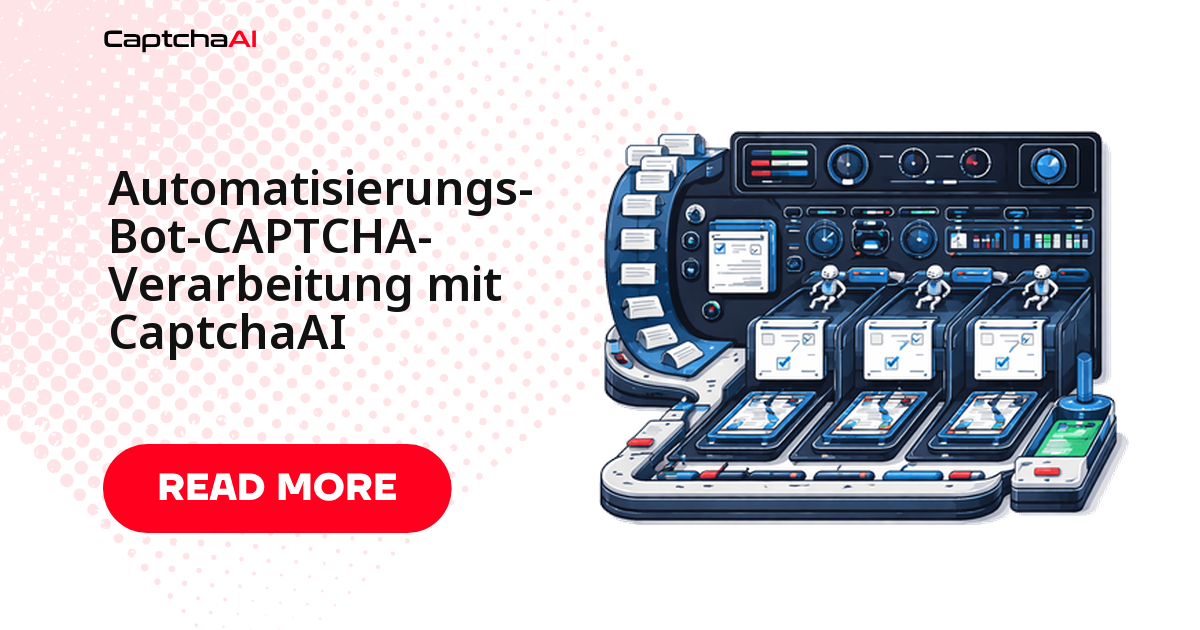
Sobald ein Automatisierungs-Bot auf ein CAPTCHA trifft, steht der gesamte Ablauf still: die Terminbuchung bricht ab, die Dateneingabe hängt, die Registrierung läuft ins Leere. Die saubere Antwort ist ein zentraler CAPTCHA-Layer. CaptchaAI nimmt Sitekey und Seiten-URL entgegen, liefert innerhalb weniger Sekunden ein gültiges Token zurück, und Ihr Bot setzt den Workflow ohne manuellen Eingriff fort. Dieser Leitfaden zeigt ein wiederverwendbares Framework für Python und Node.js, das reCAPTCHA v2/v3, Cloudflare Turnstile und Bild-CAPTCHAs über dieselbe Logik abwickelt – statt für jeden Typ eine eigene Integration zu pflegen.
Wo CAPTCHAs Bot-Workflows ausbremsen
Fast jeder Bot läuft früher oder später in eine Abfrage. Bevor Sie Code schreiben, lohnt sich der Blick, welche method CaptchaAI je Szenario erwartet – die restliche Logik bleibt identisch:
| Szenario | Typisches CAPTCHA | CaptchaAI-Methode |
|---|---|---|
| Formularübermittlung | reCAPTCHA v2 | method=userrecaptcha |
| Kontoregistrierung | reCAPTCHA v2/v3 | method=userrecaptcha |
| Dateneingabe-Portale | Bild-CAPTCHA | method=base64 |
| Buchung/Reservierung | Cloudflare Turnstile | method=turnstile |
| API-Gateway-Zugriff | Cloudflare Challenge | method=cloudflare_challenge |
Weil sich alle sechs reCAPTCHA-Varianten dieselbe Methode userrecaptcha teilen, deckt ein einziger Codepfad bereits die häufigsten Fälle ab. Cloudflare Turnstile und die klassische Bild-Abfrage kommen mit je einer weiteren Methode hinzu.
Ein wiederverwendbares Bot-Framework in Python
Eine einzige Klasse wickelt jeden CAPTCHA-Typ über dieselbe solve-Methode ab. Der Ablauf besteht immer aus drei beweglichen Teilen:
- Übermitteln – Sitekey und Seiten-URL an
in.phpschicken und die Task-ID entgegennehmen. - Abfragen – den Status an
res.phppollen, bis stattCAPCHA_NOT_READYeinOK|mit dem Token zurückkommt. - Einsetzen – das Token in das passende Formularfeld schreiben und die Anfrage absenden.
import requests
import time
import logging

logger = logging.getLogger(__name__)

class CaptchaBot:
    def __init__(self, api_key):
        self.api_key = api_key
        self.session = requests.Session()
        self.session.headers.update({
            "User-Agent": "Mozilla/5.0 (Windows NT 10.0; Win64; x64) AppleWebKit/537.36"
        })

    def solve(self, method, **params):
        """Solve any CAPTCHA type."""
        params["key"] = self.api_key
        params["method"] = method

        resp = requests.get("https://ocr.captchaai.com/in.php", params=params)
        if not resp.text.startswith("OK|"):
            raise Exception(f"Submit error: {resp.text}")

        task_id = resp.text.split("|")[1]
        logger.info(f"Task submitted: {task_id}")

        for _ in range(60):
            time.sleep(5)
            result = requests.get("https://ocr.captchaai.com/res.php", params={
                "key": self.api_key, "action": "get", "id": task_id
            })
            if result.text == "CAPCHA_NOT_READY": continue
            if result.text.startswith("OK|"): return result.text.split("|")[1]
            raise Exception(f"Error: {result.text}")

        raise TimeoutError("CAPTCHA solve timed out")

    def submit_form(self, url, form_data, captcha_field="g-recaptcha-response",
                    site_key=None, captcha_method="userrecaptcha"):
        """Submit a form with CAPTCHA solving."""
        if site_key:
            if captcha_method == "userrecaptcha":
                token = self.solve(captcha_method, googlekey=site_key, pageurl=url)
            elif captcha_method == "turnstile":
                token = self.solve(captcha_method, sitekey=site_key, pageurl=url)
            form_data[captcha_field] = token

        return self.session.post(url, data=form_data)
Das Polling ist bewusst konservativ: alle 5 Sekunden eine Abfrage, bis zu 60 Durchläufe. Für die typischen Lösungszeiten von reCAPTCHA und Turnstile ist das reichlich Puffer; erst danach greift das Timeout.
Beispiel: Kontaktformular mit reCAPTCHA absenden
Der häufigste Fall zuerst. submit_form löst das reCAPTCHA, trägt das Token in das Feld g-recaptcha-response ein und sendet die Daten in einem Aufruf ab:
bot = CaptchaBot("YOUR_API_KEY")

# Submit a contact form protected by reCAPTCHA
result = bot.submit_form(
    url="https://example.com/contact",
    form_data={
        "name": "John Doe",
        "email": "[email protected]",
        "message": "Inquiry about your service"
    },
    site_key="6Le-wvkS...",
    captcha_method="userrecaptcha"
)

print(f"Form submitted: {result.status_code}")
Beispiel: Mehrstufige Terminbuchung automatisieren
Behörden- und Buchungsportale im DACH-Raum verlangen oft mehrere Schritte, bevor das CAPTCHA erscheint: Seite laden, Termin wählen, dann erst die Bestätigung mit Abfrage. Das Framework hält die Session über alle Schritte hinweg, sodass Cookies und Formularzustand erhalten bleiben und das CAPTCHA erst im letzten Schritt gelöst wird:
def appointment_booking_bot(date, time_slot, user_info):
    bot = CaptchaBot("YOUR_API_KEY")

    # Step 1: Load booking page
    page = bot.session.get("https://example.com/book")

    # Step 2: Select date and time
    resp = bot.session.post("https://example.com/book/select", data={
        "date": date,
        "time": time_slot
    })

    # Step 3: Fill personal info with CAPTCHA
    result = bot.submit_form(
        url="https://example.com/book/confirm",
        form_data={
            "name": user_info["name"],
            "email": user_info["email"],
            "phone": user_info["phone"],
            "date": date,
            "time": time_slot
        },
        site_key="6Le-wvkS...",
        captcha_method="userrecaptcha"
    )

    return result.status_code == 200

# Run
success = appointment_booking_bot(
    date="2025-02-15",
    time_slot="10:00",
    user_info={"name": "John Doe", "email": "[email protected]", "phone": "555-0100"}
)
Beispiel: Dateneingabe mit Bild-CAPTCHA
Ältere Portale setzen häufig noch klassische Bild-CAPTCHAs ein. Der Bot lädt das Bild, kodiert es als Base64 und übergibt es mit method=base64. Die zufällige Verzögerung am Ende jeder Runde hält das Verhalten unauffällig und schont das Ziel-Portal:
import base64

def data_entry_bot(entries, captcha_image_url):
    bot = CaptchaBot("YOUR_API_KEY")

    for entry in entries:
        # Load the form page
        page = bot.session.get("https://portal.example.com/entry")

        # Download and solve image CAPTCHA
        img = bot.session.get(captcha_image_url)
        img_b64 = base64.b64encode(img.content).decode()
        captcha_text = bot.solve("base64", body=img_b64)

        # Submit entry
        resp = bot.session.post("https://portal.example.com/entry", data={
            **entry,
            "captcha": captcha_text
        })

        logger.info(f"Entry submitted: {resp.status_code}")
        time.sleep(random.uniform(2, 5))
Dasselbe Framework in Node.js
Läuft Ihr Bot auf Node.js, ist das Muster identisch: übermitteln, Status abfragen, Token einsetzen. Die solve-Methode kapselt die komplette Kommunikation mit der API, submitForm schreibt das Ergebnis in g-recaptcha-response:
const axios = require("axios");

class CaptchaBot {
  constructor(apiKey) {
    this.apiKey = apiKey;
  }

  async solve(method, params) {
    params.key = this.apiKey;
    params.method = method;

    const submit = await axios.get("https://ocr.captchaai.com/in.php", {
      params,
    });
    const taskId = submit.data.split("|")[1];

    while (true) {
      await new Promise((r) => setTimeout(r, 5000));
      const result = await axios.get("https://ocr.captchaai.com/res.php", {
        params: { key: this.apiKey, action: "get", id: taskId },
      });
      if (result.data === "CAPCHA_NOT_READY") continue;
      if (result.data.startsWith("OK|")) return result.data.split("|")[1];
      throw new Error(result.data);
    }
  }

  async submitForm(url, formData, siteKey, method = "userrecaptcha") {
    const token = await this.solve(method, {
      googlekey: siteKey,
      pageurl: url,
    });
    formData["g-recaptcha-response"] = token;

    return axios.post(url, new URLSearchParams(formData));
  }
}

// Usage
const bot = new CaptchaBot("YOUR_API_KEY");
const result = await bot.submitForm(
  "https://example.com/submit",
  { name: "John", email: "[email protected]" },
  "6Le-wvkS..."
);
Bots zuverlässig rund um die Uhr betreiben
In der Praxis läuft ein solcher Bot nicht auf dem Entwicklerlaptop, sondern dauerhaft im Hintergrund. Für den Betrieb im DACH-Raum bewährt sich ein schlankes Setup:
- ein günstiger VPS statt Entwicklerrechner – bei DACH-Teams häufig Hetzner Cloud oder netcup;
- ein systemd-Timer oder eine geplante GitLab-CI-Pipeline als Auslöser für jeden Lauf;
- ein einfaches Monitoring, das fehlgeschlagene Durchläufe meldet, bevor sie sich stapeln.
Die CaptchaAI-API wird dabei nur für die Sekunden beansprucht, in denen tatsächlich ein CAPTCHA anfällt. Abgerechnet wird Thread-basiert: Sie zahlen pro gleichzeitigem Thread, nicht pro Lösung. Ein einzelner, sequenziell arbeitender Bot kommt mit BASIC (15 $/Monat, 5 Threads) und unbegrenzten Lösungen aus; mehrere parallele Bots skalieren über die Thread-Zahl, etwa STANDARD (30 $/Monat, 15 Threads) oder ADVANCE (90 $/Monat, 50 Threads).
Hinweis: Alle Preise verstehen sich in US-Dollar. Da CaptchaAI pro Thread abrechnet – nicht pro Lösung –, bleiben die Monatskosten unabhängig vom CAPTCHA-Volumen planbar.
Ein rechtlicher Punkt lohnt für den DACH-Raum die Aufmerksamkeit: Verarbeitet Ihr Bot beim Scraping oder bei der Datenerhebung personenbezogene Daten – schon eine IP-Adresse zählt nach DSGVO dazu –, sollten Sie die Rechtsgrundlage prüfen und dokumentieren. CaptchaAI löst ausschließlich die CAPTCHA-Ebene; die Zulässigkeit des Gesamt-Workflows verantworten Sie selbst.
Häufige Fehler und ihre Behebung
Wenn ein an sich korrekter Bot dennoch scheitert, liegt es fast immer an einem dieser vier Punkte:
| Problem | Lösung |
|---|---|
| Token wird abgelehnt | Das Token innerhalb von 120 Sekunden nach der Lösung verwenden – danach läuft es ab. |
| Bot trotz gültigem Token erkannt | User-Agent prüfen und realistische Anfrageverzögerungen einbauen. |
| Formular verlangt zusätzliche Felder | Den Formular-Quelltext auf versteckte Felder (CSRF-Tokens) prüfen. |
| Rate-Limiting bei wiederholten Einreichungen | Verzögerungen einbauen und Proxys rotieren. |
Häufige Fragen
Was kostet es, CAPTCHAs in einem Bot automatisch zu lösen?
Sie zahlen nicht pro gelöstem CAPTCHA, sondern pro gleichzeitigem Thread. BASIC (15 $/Monat, 5 Threads) reicht für einen einzelnen Bot mit unbegrenzten Lösungen; höhere Tarife wie ADVANCE (90 $/Monat, 50 Threads) bedienen viele parallele Läufe – ganz ohne Aufpreis je CAPTCHA-Typ.
Muss ich für reCAPTCHA und Turnstile getrennten Code schreiben?
Nein. Das Framework kapselt die Methode: für reCAPTCHA v2/v3 userrecaptcha, für Cloudflare Turnstile turnstile. Sie übergeben nur den passenden Methodennamen und den Sitekey; die Übermittlungs- und Polling-Logik bleibt in beiden Fällen identisch.
Wie verhindere ich, dass mein Bot trotz gelöstem CAPTCHA blockiert wird?
Verwenden Sie das Token innerhalb von 120 Sekunden, senden Sie realistische HTTP-Header und bauen Sie zufällige Verzögerungen zwischen den Anfragen ein. CaptchaAI löst die CAPTCHA-Ebene; die Robustheit des übrigen Bot-Verhaltens liegt bei Ihnen.
Kann ich mehrere Bots parallel laufen lassen?
Ja. Jeder parallele Bot belegt einen Thread. Mit STANDARD (30 $/Monat, 15 Threads) laufen bis zu 15 Lösungen gleichzeitig; ist eine fertig, nimmt der Thread sofort die nächste Aufgabe an.