Wer mit Rechenzentrums-IPs scrapt, kennt das Muster: Bei fast jeder Anfrage erscheint ein CAPTCHA. Bright-Data-Residential-Proxys senken diese Trefferquote deutlich, weil die Zielseite echte Endkunden-IPs sieht – und die CAPTCHAs, die trotzdem auftauchen, übergibt CaptchaAI serverseitig an seine Lösungs-API. Dieser Leitfaden verbindet beide Bausteine zu einem sauberen Workflow: der Proxy übernimmt den Seitenaufruf, CaptchaAI löst reCAPTCHA v2, Cloudflare Turnstile und Cloudflare Challenge. Alle Beispiele liegen in Python und Node.js vor.
Zur Einordnung: Bright Data (früher Luminati) betreibt eines der größten Proxy-Netze überhaupt – über 72 Millionen Residential-IPs in 195 Ländern. Genau diese Breite macht es zum naheliegenden Partner für CAPTCHA-intensive Projekte.
So greifen Proxy und CAPTCHA-Lösung ineinander
Your Script ──▶ Bright Data Proxy ──▶ Target Site
                                          │
                                    CAPTCHA appears
                                          │
                                    CaptchaAI API ──▶ Solved token
                                          │
                            Inject token ◀─┘
Wichtig zum Verständnis: CaptchaAI leitet nicht über Ihren Proxy weiter. Der Dienst löst serverseitig über seine eigene Infrastruktur und erhält dafür nur Sitekey und Page-URL. Die Zuständigkeiten sind sauber getrennt:
- Bright-Data-Proxy – ruft die Zielseite auf und stellt die IP, hinter der Sie erscheinen.
- CaptchaAI-API – nimmt Sitekey und Page-URL entgegen und liefert das gelöste Token zurück.
- Ihr Skript – trägt das Token ins Formular ein und setzt den Ablauf fort.
Weil beide Komponenten unabhängig arbeiten, lassen sie sich auch getrennt dimensionieren.
Bright Data Proxy-Typen im Vergleich
Die Wahl der Zone entscheidet, wie oft überhaupt ein CAPTCHA erscheint. Je „echter" die IP wirkt, desto seltener greift die Bot-Erkennung der Zielseite.
| Typ | IPs | Geschwindigkeit | Kosten | CAPTCHA-Rate |
|---|---|---|---|---|
| Rechenzentrums-Proxy | 770.000+ | schnell | niedrig | höher |
| Residential-Proxy | 72 Mio.+ | mittel | mittel | niedriger |
| ISP-Proxy | 700.000+ | schnell | hoch | am niedrigsten |
| Mobil-Proxy | 7 Mio.+ | langsam | hoch | sehr niedrig |
Daraus ergibt sich eine einfache Faustregel für die Praxis:
- Residential-Proxy – bester Kompromiss aus Preis und CAPTCHA-Rate, Standardwahl für die meisten Scraping-Projekte.
- ISP-Proxy – wenn Sie Rechenzentrumsgeschwindigkeit brauchen, aber trotzdem wenige CAPTCHAs auslösen wollen.
- Rechenzentrums-Proxy – nur für unkritische Ziele, die kaum CAPTCHAs zeigen.
Bright Data mit CaptchaAI in Python integrieren
requests + Bright Data + CaptchaAI
Der Einstieg ohne Browser: Sie holen die Seite über den Proxy und schicken Sitekey plus Page-URL an CaptchaAI. Der folgende Code deckt sowohl reCAPTCHA v2 (userrecaptcha) als auch Cloudflare Turnstile (turnstile) ab.
import requests
import time

CAPTCHAAI_KEY = "YOUR_API_KEY"
CAPTCHAAI_URL = "https://ocr.captchaai.com"

# Bright Data proxy credentials
BRIGHT_DATA_PROXY = {
    "http": "http://brd-customer-CUSTOMER_ID-zone-ZONE:[email protected]:22225",
    "https": "http://brd-customer-CUSTOMER_ID-zone-ZONE:[email protected]:22225",
}


def fetch_with_proxy(url):
    """Fetch a page through Bright Data proxy."""
    resp = requests.get(
        url,
        proxies=BRIGHT_DATA_PROXY,
        headers={
            "User-Agent": "Mozilla/5.0 (Windows NT 10.0; Win64; x64) "
            "AppleWebKit/537.36 (KHTML, like Gecko) "
            "Chrome/126.0.0.0 Safari/537.36"
        },
        timeout=30,
    )
    return resp


def solve_recaptcha(site_url, sitekey):
    """Solve reCAPTCHA v2 via CaptchaAI."""
    resp = requests.post(f"{CAPTCHAAI_URL}/in.php", data={
        "key": CAPTCHAAI_KEY,
        "method": "userrecaptcha",
        "googlekey": sitekey,
        "pageurl": site_url,
        "json": 1,
    })
    data = resp.json()
    if data["status"] != 1:
        raise Exception(f"Submit: {data['request']}")

    task_id = data["request"]

    for _ in range(60):
        time.sleep(5)
        resp = requests.get(f"{CAPTCHAAI_URL}/res.php", params={
            "key": CAPTCHAAI_KEY,
            "action": "get",
            "id": task_id,
            "json": 1,
        })
        data = resp.json()
        if data["request"] == "CAPCHA_NOT_READY":
            continue
        if data["status"] == 1:
            return data["request"]
        raise Exception(f"Solve: {data['request']}")

    raise TimeoutError("Solve timeout")


def solve_turnstile(site_url, sitekey):
    """Solve Cloudflare Turnstile via CaptchaAI."""
    resp = requests.post(f"{CAPTCHAAI_URL}/in.php", data={
        "key": CAPTCHAAI_KEY,
        "method": "turnstile",
        "sitekey": sitekey,
        "pageurl": site_url,
        "json": 1,
    })
    data = resp.json()
    task_id = data["request"]

    for _ in range(60):
        time.sleep(5)
        resp = requests.get(f"{CAPTCHAAI_URL}/res.php", params={
            "key": CAPTCHAAI_KEY,
            "action": "get",
            "id": task_id,
            "json": 1,
        })
        data = resp.json()
        if data["request"] != "CAPCHA_NOT_READY":
            return data["request"]

    raise TimeoutError("Solve timeout")
Der Ablauf ist bei beiden Typen identisch: Aufgabe an in.php übermitteln, dann res.php im 5-Sekunden-Takt abfragen, bis das Token vorliegt. Ein Timeout nach 60 Durchläufen verhindert, dass ein Worker unbegrenzt wartet.
Selenium + Bright Data + CaptchaAI
Braucht die Zielseite ein echtes Browser-Rendering, führen Sie den Proxy direkt in Chrome ein. Nach dem Laden liest das Skript den Sitekey aus dem DOM, lässt CaptchaAI lösen und trägt das Token in g-recaptcha-response ein.
from selenium import webdriver
from selenium.webdriver.common.by import By
import time

BRIGHT_DATA_HOST = "brd.superproxy.io"
BRIGHT_DATA_PORT = 22225
BRIGHT_DATA_USER = "brd-customer-CUSTOMER_ID-zone-residential"
BRIGHT_DATA_PASS = "PASSWORD"


def create_driver_with_proxy():
    options = webdriver.ChromeOptions()
    options.add_argument(
        f"--proxy-server=http://{BRIGHT_DATA_HOST}:{BRIGHT_DATA_PORT}"
    )
    options.add_argument("--disable-blink-features=AutomationControlled")
    options.add_argument("--window-size=1920,1080")

    driver = webdriver.Chrome(options=options)
    return driver


def scrape_with_captcha_solving(url, sitekey=None):
    driver = create_driver_with_proxy()

    try:
        driver.get(url)
        time.sleep(3)

        # Auto-detect sitekey if not provided
        if not sitekey:
            sitekey = driver.execute_script(
                "return document.querySelector('[data-sitekey]')"
                "?.getAttribute('data-sitekey')"
            )

        if sitekey:
            token = solve_recaptcha(url, sitekey)

            driver.execute_script(f"""
                document.querySelector('#g-recaptcha-response').value = '{token}';
                document.querySelectorAll('[name="g-recaptcha-response"]')
                    .forEach(el => {{ el.value = '{token}'; }});
            """)

            # Trigger callback
            driver.execute_script("""
                if (typeof ___grecaptcha_cfg !== 'undefined') {
                    const clients = ___grecaptcha_cfg.clients;
                    for (const key in clients) {
                        for (const prop in clients[key]) {
                            const val = clients[key][prop];
                            if (val && typeof val === 'object') {
                                for (const p in val) {
                                    if (typeof val[p]?.callback === 'function') {
                                        val[p].callback(arguments[0]);
                                    }
                                }
                            }
                        }
                    }
                }
            """)

        return driver.page_source

    finally:
        driver.quit()
Das callback-Snippet ist entscheidend: Viele Formulare senden erst ab, wenn der reCAPTCHA-Callback ausgelöst wurde – ein bloßes Setzen des Token-Feldes reicht dann nicht.
Länder-Targeting: IPs passend zur Zielregion
Bright Data lässt sich auf Land, Bundesland und Stadt eingrenzen. Der praktische Effekt: Wenn IP und Inhaltsregion zusammenpassen, liefert die Zielseite konsistente, lokalisierte Inhalte und stuft die Anfrage seltener als verdächtig ein.
# Country targeting
proxy_us = "http://brd-customer-ID-zone-residential-country-us:[email protected]:22225"
proxy_uk = "http://brd-customer-ID-zone-residential-country-gb:[email protected]:22225"
proxy_de = "http://brd-customer-ID-zone-residential-country-de:[email protected]:22225"

# City targeting
proxy_nyc = "http://brd-customer-ID-zone-residential-country-us-city-newyork:[email protected]:22225"

# Use the geo-matched proxy for lower CAPTCHA rates
def scrape_localized(url, country="us"):
    proxy = f"http://brd-customer-ID-zone-residential-country-{country}:[email protected]:22225"
    resp = requests.get(url, proxies={"http": proxy, "https": proxy}, timeout=30)
    return resp
Beispiel aus der DACH-Praxis: Möchten Sie öffentliche Katalog- oder Verfügbarkeitsdaten eines deutschen Shops – etwa aus einem Shopware- oder JTL-Storefront – abrufen, nutzen Sie -country-de. Damit rendern Preise, Währung und Bestandsanzeige so, wie sie ein Kunde in Deutschland sieht.
Ein Hinweis zur Sorgfaltspflicht: IP-Adressen gelten in der EU als personenbezogene Daten. Wenn Sie über fremde Residential-IPs scrapen, prüfen Sie Rechtsgrundlage, die AGB der Zielseite und Ihren Datenfluss selbst – die DSGVO-Konformität liegt bei Ihnen, nicht beim Proxy- oder Lösungsdienst.
Sticky Sessions richtig einsetzen
Für CAPTCHA-Workflows ist der Session-Typ kein Detail, sondern die häufigste Fehlerquelle.
# Sticky session (same IP for entire session)
proxy_sticky = (
    "http://brd-customer-ID-zone-residential"
    "-session-abc123:[email protected]:22225"
)

# Rotating (new IP each request)
proxy_rotating = (
    "http://brd-customer-ID-zone-residential:[email protected]:22225"
)
Der Unterschied entscheidet über Erfolg oder Ablehnung:
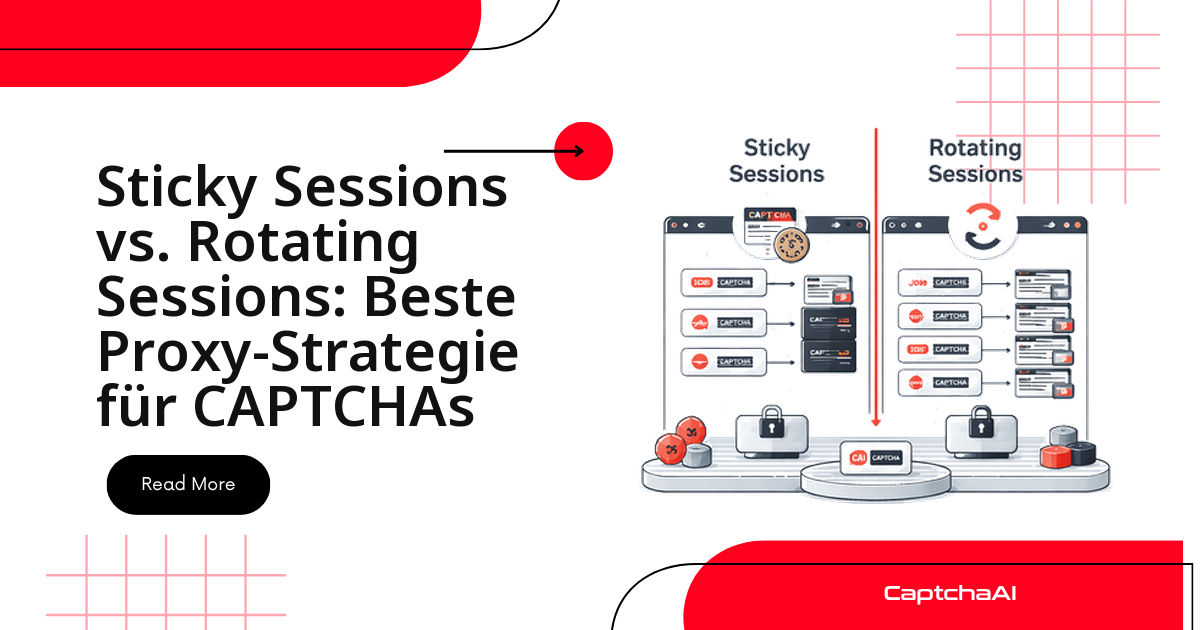
- Sticky Session – hält dieselbe IP über den gesamten Vorgang. Pflicht für CAPTCHA-Workflows, denn das Token ist an die IP gebunden, die die Seite geladen hat.
- Rotierende Session – neue IP pro Anfrage. Nur für zustandslose Abrufe sinnvoll, bei denen kein Token über mehrere Requests hinweg gültig bleiben muss.
Wechselt die IP zwischen Seitenaufruf und Absenden, weist die Zielseite das Token ab – das ist die mit Abstand häufigste Ursache für „Token rejected".
Integration in Node.js
Derselbe Ablauf in Node.js mit axios und einem HTTPS-Proxy-Agent – für Teams, deren Scraping-Stack auf JavaScript läuft.
const axios = require("axios");
const https = require("https");

const CAPTCHAAI_KEY = "YOUR_API_KEY";
const CAPTCHAAI_URL = "https://ocr.captchaai.com";

const proxyAgent = new (require("https-proxy-agent"))(
  "http://brd-customer-ID-zone-residential:[email protected]:22225"
);

async function fetchWithProxy(url) {
  return axios.get(url, {
    httpsAgent: proxyAgent,
    headers: {
      "User-Agent":
        "Mozilla/5.0 (Windows NT 10.0; Win64; x64) Chrome/126.0.0.0",
    },
  });
}

async function solveCaptcha(siteUrl, sitekey) {
  const submit = await axios.post(`${CAPTCHAAI_URL}/in.php`, null, {
    params: {
      key: CAPTCHAAI_KEY,
      method: "userrecaptcha",
      googlekey: sitekey,
      pageurl: siteUrl,
      json: 1,
    },
  });

  const taskId = submit.data.request;

  for (let i = 0; i < 60; i++) {
    await new Promise((r) => setTimeout(r, 5000));

    const result = await axios.get(`${CAPTCHAAI_URL}/res.php`, {
      params: {
        key: CAPTCHAAI_KEY,
        action: "get",
        id: taskId,
        json: 1,
      },
    });

    if (result.data.request === "CAPCHA_NOT_READY") continue;
    if (result.data.status === 1) return result.data.request;
  }

  throw new Error("Timeout");
}
Bright-Data-Zone für CAPTCHA-Workflows konfigurieren
Diese Einstellungen haben sich für CAPTCHA-lastige Ziele bewährt:
| Zone-Einstellung | Empfehlung für CAPTCHA-Workflows | Warum |
|---|---|---|
| Proxy-Typ | Residential | niedrigste CAPTCHA-Trefferquote |
| Länder-Targeting | passend zur Zielregion wählen | konsistente, lokalisierte Inhalte |
| Session-Typ | Sticky | Token muss von der Ursprungs-IP stammen |
| IP-Qualität | hohe Qualität | markierte IPs vermeiden |
| Parallele Verbindungen | 100+ | mehrere CAPTCHA-Workflows gleichzeitig |
Fehlerbehebung: häufige Proxy- und Token-Fehler
| Problem | Ursache | Lösung |
|---|---|---|
| 407 vom Proxy | falsche Zugangsdaten | Kunden-ID, Zone und Passwort prüfen |
| CAPTCHA bei jeder Anfrage | Rechenzentrums-IP erkannt | in die Residential-Zone wechseln |
| Token abgelehnt | IP zwischen Lösen und Absenden gewechselt | Sticky Session verwenden |
| langsame Antwort | überlasteter Exit-Node | weniger frequentiertes Land / weniger frequentierte Stadt wählen |
| Verbindung abgelehnt | Bandbreitenlimit erreicht | Bright-Data-Dashboard prüfen |
Häufige Fragen
Wie viele Bright-Data-Verbindungen brauche ich für meine CaptchaAI-Threads?
Beide Grenzen skalieren unabhängig voneinander. CaptchaAI rechnet pro gleichzeitigem Thread ab – BASIC (15 $/Monat) enthält 5 Threads, ENTERPRISE (300 $/Monat) 200, jeweils mit unbegrenzten Lösungen pro Thread. Bright Data rechnet separat nach gleichzeitigen Proxy-Verbindungen ab. Legen Sie beide auf denselben Parallelitätsgrad aus, damit weder der Proxy noch der Solver zum Flaschenhals wird.
Löst CaptchaAI auch reCAPTCHA v3 und Cloudflare Challenge hinter Bright Data?
Ja. Die Beispiele zeigen reCAPTCHA v2 und Turnstile, aber derselbe Ablauf – Sitekey und Page-URL übergeben, dann das Ergebnis abfragen – gilt auch für reCAPTCHA v3, reCAPTCHA Enterprise, Cloudflare Challenge, GeeTest v3 sowie Bild- und Grid-CAPTCHAs. hCaptcha und FunCaptcha unterstützt CaptchaAI derzeit nicht.
Sind Residential-Proxys aus DSGVO-Sicht unbedenklich?
Das müssen Sie für Ihren Anwendungsfall selbst bewerten. IP-Adressen sind personenbezogene Daten, deshalb sollten Sie beim Scraping über fremde Residential-IPs Rechtsgrundlage, Zielseiten-AGB und Datenfluss dokumentieren. CaptchaAI erhält im Workflow ausschließlich Sitekey und Page-URL – nicht die abgerufenen Inhalte.
Warum wird mein Token abgelehnt, obwohl das Lösen erfolgreich war?
Fast immer, weil die IP zwischen Seitenaufruf und Absenden gewechselt hat. Das CAPTCHA-Token ist an die IP gebunden, die die Seite geladen hat. Nutzen Sie eine Sticky Session, damit Laden und Absenden über dieselbe Bright-Data-IP laufen.
Welche Bright-Data-Zone verursacht die wenigsten CAPTCHAs?
Residential- und ISP-Zonen. Rechenzentrums-IPs lösen am häufigsten CAPTCHAs aus; ISP-Proxys verbinden Rechenzentrumsgeschwindigkeit mit dem Vertrauen echter Provider-IPs.
Verwandte Leitfäden
- Proxy-Authentifizierung für CaptchaAI einrichten
- ISP- vs. Rechenzentrums-Proxys für die CAPTCHA-Lösung
- Proxy-Rotation beim CAPTCHA-Scraping
Verbinden Sie das Proxy-Netz von Bright Data mit automatischer CAPTCHA-Lösung – Jetzt CaptchaAI-Schlüssel holen und Ihre Automatisierung skalieren.