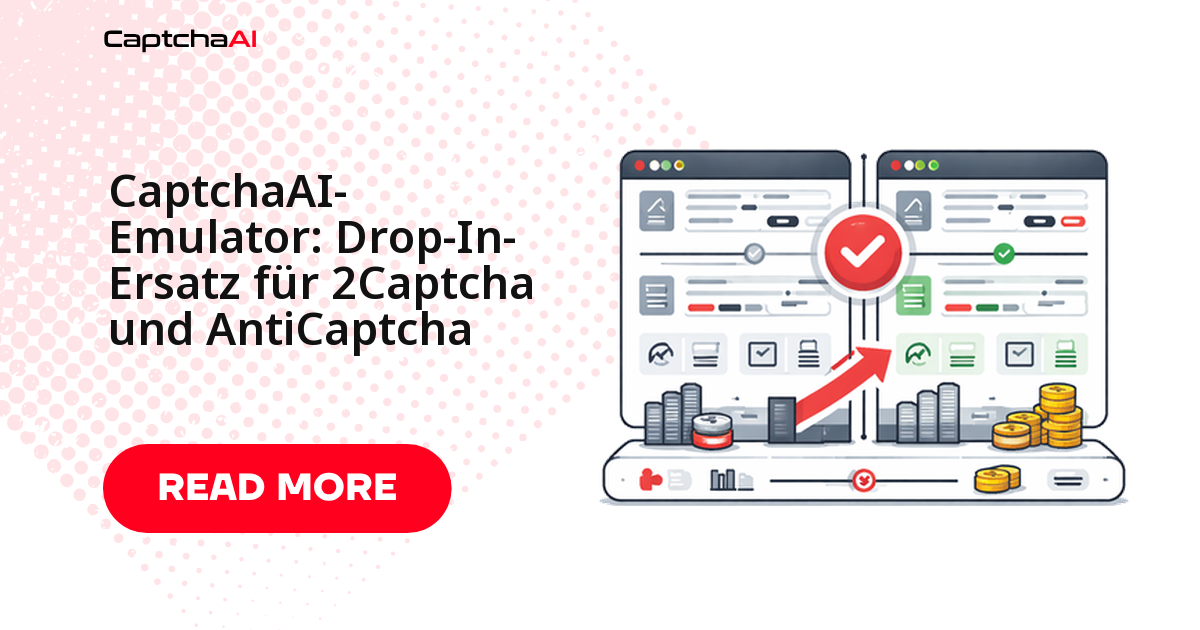
Ob ein Anbieterwechsel wirklich stattfindet, entscheidet meist der Rückweg: Wer eine laufende Automatisierung umstellt, will sie notfalls in Minuten zurückdrehen können. Bei CaptchaAI ist beides derselbe Handgriff – die API spricht dasselbe in.php/res.php-Format wie 2Captcha, Hin- und Rückweg bestehen jeweils aus einer neuen Basis-URL und einem neuen API-Schlüssel.
Für AntiCaptcha-Integrationen, die auf JSON-Aufrufen mit createTask und getTaskResult aufsetzen, reicht ein schlanker Adapter von rund 50 Zeilen. Dieser Referenzartikel zeigt beide Wege, die vollständige Parameterzuordnung, eine ehrliche Liste der nicht abgedeckten CAPTCHA-Typen und einen Migrationsplan, der ohne Wochenendaktion auskommt.
Was sich beim Wechsel ändert – und was nicht
| Bereich | Status nach der Migration |
|---|---|
| Basis-URL | ändert sich: https://2captcha.com → https://ocr.captchaai.com |
| API-Schlüssel | ändert sich: neuer Schlüssel aus dem CaptchaAI-Dashboard |
| Parameternamen | unverändert (key, method, googlekey, pageurl) |
| Antwortstruktur | unverändert (status + request) |
| Fehlercodes | unverändert (ERROR_WRONG_USER_KEY, CAPCHA_NOT_READY) |
| Abrechnungsmodell | Thread-basiert: ein laufendes CAPTCHA belegt einen Thread |
Die ersten beiden Zeilen betreffen Konfiguration, nicht Anwendungslogik. Wer Basis-URL und Schlüssel ohnehin aus Umgebungsvariablen liest, kommt ohne einen einzigen Commit im Produktivcode aus.
Endpunkte und Parameter im Direktvergleich
CaptchaAI nutzt dieselbe Endpunktstruktur und dieselben Parameternamen wie 2Captcha:
| Aufruf | 2Captcha | CaptchaAI |
|---|---|---|
| Task übermitteln | https://2captcha.com/in.php |
https://ocr.captchaai.com/in.php |
| Ergebnis abfragen | https://2captcha.com/res.php |
https://ocr.captchaai.com/res.php |
| Parameter für den Schlüssel | key |
key |
| Antwortformat | status + request |
status + request |
Identisch belegt sind außerdem:
methodundgooglekeyfür reCAPTCHA-Aufgaben,pageurlfür die Seite mit dem eingebundenen CAPTCHA,jsonfür die strukturierte Antwort,proxyundproxytypefür Lösungen über einen eigenen Proxy,actionbeim Abfragen des Ergebnisses.
Wiederholungslogik, Timeouts und Polling-Intervall bleiben damit unverändert.
Migration von 2Captcha: zwei Zeilen Konfiguration
Python
# Before
BASE_URL = "https://2captcha.com"

# After
BASE_URL = "https://ocr.captchaai.com"
Der bestehende Code zum Übermitteln und Abfragen läuft danach unverändert weiter – hier vollständig zum Nachvollziehen:
import requests
import time

API_KEY = "YOUR_CAPTCHAAI_KEY"
BASE_URL = "https://ocr.captchaai.com"  # changed from 2captcha.com

# Submit — identical parameters
resp = requests.post(f"{BASE_URL}/in.php", data={
    "key": API_KEY,
    "method": "userrecaptcha",
    "googlekey": "6Le-SITEKEY",
    "pageurl": "https://example.com",
    "json": "1",
}).json()
task_id = resp["request"]

# Poll — identical parameters
for _ in range(24):
    time.sleep(5)
    result = requests.get(f"{BASE_URL}/res.php", params={
        "key": API_KEY, "action": "get", "id": task_id, "json": "1"
    }).json()
    if result["status"] == 1:
        print(f"Token: {result['request'][:50]}...")
        break
JavaScript und Node.js
// Before
const BASE_URL = 'https://2captcha.com';

// After
const BASE_URL = 'https://ocr.captchaai.com';

// Everything else stays the same
In beiden Sprachen bleibt die Payload identisch: Sie tauschen ausschließlich den Host aus. Hinterlegen Sie die Basis-URL dabei nicht hart im Code, sondern als Umgebungsvariable – dann ist ein Rückwechsel eine Konfigurationsänderung und kein Release.
AntiCaptcha-Integrationen: Adapter statt Neuschreiben
AntiCaptcha spricht ein anderes Protokoll: JSON-Payloads mit createTask und getTaskResult statt Formulardaten an in.php. Statt jeden Aufrufer umzubauen, kapseln Sie die Übersetzung in einer Klasse, die die gewohnte AntiCaptcha-Signatur nach außen behält und intern gegen CaptchaAI spricht:
import requests
import time

API_KEY = "YOUR_CAPTCHAAI_KEY"

class AntiCaptchaAdapter:
    """Translates AntiCaptcha-style calls to CaptchaAI API."""

    def __init__(self, api_key):
        self.api_key = api_key
        self.base = "https://ocr.captchaai.com"

    def createTask(self, task):
        """AntiCaptcha-compatible createTask."""
        task_type = task.get("type", "")
        data = {"key": self.api_key, "json": "1"}

        if "Recaptcha" in task_type:
            data["method"] = "userrecaptcha"
            data["googlekey"] = task.get("websiteKey", "")
            data["pageurl"] = task.get("websiteURL", "")
            if task.get("isInvisible"):
                data["invisible"] = "1"
        elif "Image" in task_type:
            data["method"] = "base64"
            data["body"] = task.get("body", "")
        elif "Turnstile" in task_type:
            data["method"] = "turnstile"
            data["sitekey"] = task.get("websiteKey", "")
            data["pageurl"] = task.get("websiteURL", "")

        resp = requests.post(f"{self.base}/in.php", data=data).json()
        if resp["status"] != 1:
            return {"errorId": 1, "errorDescription": resp["request"]}
        return {"errorId": 0, "taskId": resp["request"]}

    def getTaskResult(self, task_id):
        """AntiCaptcha-compatible getTaskResult."""
        resp = requests.get(f"{self.base}/res.php", params={
            "key": self.api_key,
            "action": "get",
            "id": task_id,
            "json": "1",
        }).json()

        if resp["request"] == "CAPCHA_NOT_READY":
            return {"status": "processing"}
        if resp["status"] == 1:
            return {
                "status": "ready",
                "solution": {"gRecaptchaResponse": resp["request"]}
            }
        return {"errorId": 1, "errorDescription": resp["request"]}

    def getBalance(self):
        """AntiCaptcha-compatible getBalance."""
        resp = requests.get(f"{self.base}/res.php", params={
            "key": self.api_key,
            "action": "getbalance",
            "json": "1",
        }).json()
        return {"balance": float(resp["request"])}


# Usage — same interface as AntiCaptcha
adapter = AntiCaptchaAdapter("YOUR_CAPTCHAAI_KEY")

result = adapter.createTask({
    "type": "RecaptchaV2TaskProxyless",
    "websiteURL": "https://example.com",
    "websiteKey": "6Le-SITEKEY",
})
task_id = result["taskId"]

while True:
    time.sleep(5)
    status = adapter.getTaskResult(task_id)
    if status["status"] == "ready":
        token = status["solution"]["gRecaptchaResponse"]
        print(f"Token: {token[:50]}...")
        break
Der Adapter deckt die drei häufigsten Aufgaben ab: reCAPTCHA v2, Bild-CAPTCHAs per Base64 und Cloudflare Turnstile. getBalance liefert das Guthaben im gewohnten Format zurück, sodass bestehende Monitoring-Abfragen weiterlaufen. Weitere Typen ergänzen Sie über zusätzliche elif-Zweige nach demselben Muster.
Bestehende 2Captcha-SDKs weiterverwenden
Viele 2Captcha-SDKs erlauben es, den Host zu konfigurieren. Dann bleibt sogar die Bibliothek erhalten:
Python (2captcha-python)
from twocaptcha import TwoCaptcha

solver = TwoCaptcha(
    "YOUR_CAPTCHAAI_KEY",
    server="ocr.captchaai.com"  # redirect to CaptchaAI
)

result = solver.recaptcha(
    sitekey="6Le-SITEKEY",
    url="https://example.com"
)
print(result["code"][:50] + "...")
JavaScript (2captcha-javascript)
const Captcha = require('2captcha');

const solver = new Captcha.Solver('YOUR_CAPTCHAAI_KEY');
solver.apiBaseUrl = 'https://ocr.captchaai.com';

const result = await solver.recaptcha('6Le-SITEKEY', 'https://example.com');
console.log(result.data.substring(0, 50) + '...');
Prüfen Sie nach dem Umstellen die Version Ihres SDKs: Ältere Releases erwarten den Host ohne Schema (ocr.captchaai.com), neuere eine vollständige URL.
Kompatibilitätsmatrix: was der Emulator abdeckt
| Funktion | Über den kompatiblen Endpunkt nutzbar |
|---|---|
| reCAPTCHA v2 | ✅ |
| reCAPTCHA v3 | ✅ |
| reCAPTCHA Enterprise | ✅ |
| Cloudflare Turnstile | ✅ |
| Bild-CAPTCHA / OCR | ✅ |
| GeeTest v3 | ✅ |
pingback (Webhook) |
✅ |
proxy / proxytype |
✅ |
reportbad / reportgood |
✅ |
getbalance |
✅ |
| hCaptcha | ❌ nicht im Leistungsumfang |
| FunCaptcha (Arkose Labs) | ❌ nicht im Leistungsumfang |
| GeeTest v4 | ❌ bald verfügbar |
Wichtig für die Planung: hCaptcha und FunCaptcha gehören nicht zum Leistungsumfang, GeeTest v4 ist lediglich als „bald verfügbar“ angekündigt. Deckt Ihre bisherige Integration einen dieser Typen ab, planen Sie für diese Strecke einen Parallelbetrieb ein, statt den alten Anbieter sofort abzuschalten. CaptchaFox (Beta), Friendly Captcha (Beta) und Lemin (Beta) stehen bislang nur als Beta zur Verfügung – prüfen Sie diese Typen mit eigenen Workflows, bevor Sie produktiv darauf setzen.
Migrationsplan für ein Team-Setup
Ein typisches Szenario aus dem DACH-Raum: ein Shopware-Shop mit eigener Staging-Umgebung, dessen nächtliche QA-Läufe in GitLab CI auf Hetzner-Runnern starten. Die Umstellung braucht dort keinen Change-Freeze, sondern fünf Schritte:
- Die Basis-URL aus dem Code herauslösen und als Variable
CAPTCHA_BASE_URLin die CI-Konfiguration verschieben. - Den CaptchaAI-Schlüssel als maskierte CI-Variable hinterlegen – niemals im Repository.
- Einen Nightly-Job gegen die eigene Staging-Umgebung laufen lassen (
https://staging.example-app.test/login) und dabei Lösungszeiten und Fehlercodes protokollieren. - Die Threads am realen Parallelbedarf ausrichten: BASIC (15 $/Monat, 5 Threads) trägt einen einzelnen Runner, STANDARD (30 $/Monat, 15 Threads) mehrere gleichzeitig laufende Jobs. Abgerechnet wird pro gleichzeitigem Thread, nicht pro Lösung; alle Preise in US-Dollar.
- Nach ein bis zwei Wochen stabilem Parallelbetrieb die alte Variable entfernen.
Zwei Punkte tauchen im deutschsprachigen Raum regelmäßig in der Abnahme auf: Setzt Ihre Pipeline Proxys mit Endkunden-IPs ein, sind IP-Adressen personenbezogene Daten – prüfen Sie Rechtsgrundlage und Auftragsverarbeitung, bevor Sie den Datenfluss ausweiten. Und halten Sie im Testprotokoll fest, gegen welche Umgebung gemessen wurde; interne Audits fragen das erfahrungsgemäß als Erstes ab.
Fehlerbehandlung, Guthaben und Tokens
Die Fehlercodes tragen dieselben Namen wie zuvor: ERROR_WRONG_USER_KEY bei falschem Schlüssel, ERROR_ZERO_BALANCE bei leerem Guthaben, CAPCHA_NOT_READY solange die Abfrage noch läuft. Bestehende Auswertungen in Logs und Dashboards greifen also unverändert weiter.
Das Guthaben fragen Sie über res.php mit action=getbalance ab – ein guter Kandidat für einen kleinen Monitoring-Job, der frühzeitig warnt, statt einen Nachtlauf scheitern zu lassen. Tokens bleiben kurzlebig: Lösen Sie ein CAPTCHA erst unmittelbar vor dem Absenden des Formulars, nicht auf Vorrat. Wer Wartezeiten verkürzen will, erhöht besser die Thread-Anzahl, statt Ergebnisse zwischenzuspeichern.
Häufige Fragen
Bleiben Timeouts und Wiederholungslogik nach dem Wechsel unverändert?
Ja. Weil Parameter, Statuswerte und Fehlercodes identisch sind, laufen bestehende Polling-Schleifen und exponentielles Backoff weiter. Beobachten Sie in der ersten Woche die Lösungszeiten und passen Sie das Intervall danach an.
Wie teste ich die Migration, ohne die Produktion anzufassen?
Über eine Umgebungsvariable und zwei Deployment-Stufen: Der Staging-Job zeigt auf https://ocr.captchaai.com, die Produktion vorerst auf den bisherigen Host. So vergleichen Sie beide Strecken mit denselben Testfällen, bevor Sie umschalten.
Welche CAPTCHA-Typen deckt der kompatible Endpunkt nicht ab?
hCaptcha und FunCaptcha gehören nicht dazu, GeeTest v4 ist angekündigt, aber noch nicht verfügbar. reCAPTCHA v2, v3 und Enterprise, Cloudflare Turnstile, Bild-CAPTCHAs sowie GeeTest v3 laufen über dieselben Aufrufe wie bisher.
Wie unterscheidet sich die Abrechnung von einem Modell pro Lösung?
CaptchaAI rechnet pro gleichzeitigem Thread ab, und jeder Plan enthält unbegrenzte Lösungen pro Thread. Für die Kalkulation zählt damit nicht das Monatsvolumen, sondern die Spitzenparallelität Ihrer Jobs.
Lässt sich der Adapter schrittweise einführen?
Ja. Beginnen Sie mit einem einzelnen Job oder einem Feature-Flag für einen Teil des Traffics. Da die Antwortstruktur gleich bleibt, lässt sich dieser Anteil jederzeit zurückdrehen, ohne Datenmodelle oder Auswertungen anzupassen.
Ohne Codeänderungen zu CaptchaAI wechseln
Holen Sie sich Ihren API-Schlüssel unter captchaai.com, setzen Sie die Basis-URL auf https://ocr.captchaai.com und starten Sie den ersten Lauf gegen Ihre Staging-Umgebung.