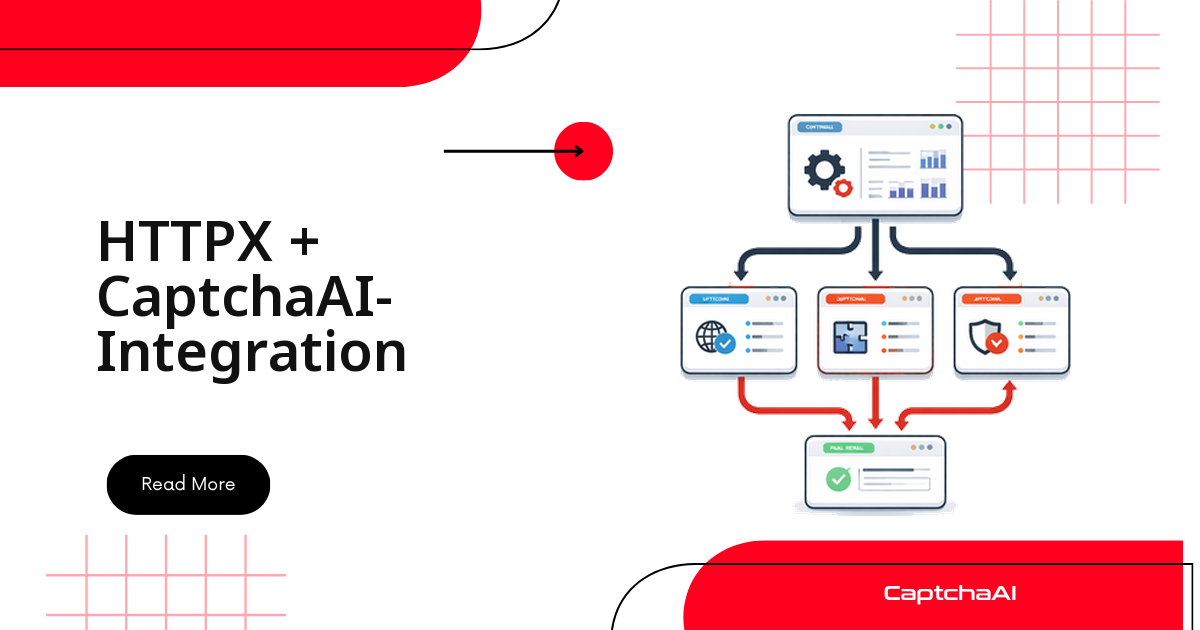
Ein Python-Skript holt Daten über HTTP – ohne Browser, ohne WebDriver – und dann liefert die Zielseite plötzlich ein reCAPTCHA aus. Ab diesem Punkt brauchen Sie ein gültiges Token – und zwar aus genau dem Prozess, der auch die Anfragen stellt. HTTPX und CaptchaAI erledigen das in drei Schritten: Parameter an in.php übermitteln, das Ergebnis über res.php abfragen, das Token mit dem Formular absenden.
Der eigentliche Reiz von HTTPX liegt darin, dass derselbe Client-Code synchron wie asynchron funktioniert. Ein kleines Wartungsskript läuft weiterhin blockierend Zeile für Zeile; ein Crawler mit fünfzig Zielseiten nutzt dieselbe Solver-Klasse über asyncio und arbeitet die CAPTCHA-Abfragen parallel ab. Dieser Leitfaden zeigt beide Varianten, dazu HTTP/2, ein vollständiges Scraping-Beispiel und die oft übersehene Frage, wie viele parallele Lösungen Ihr Plan überhaupt zulässt.
httpx, requests oder aiohttp: die Einordnung
Alle drei Bibliotheken sprechen die CaptchaAI-Endpunkte problemlos an. Der Unterschied liegt im Programmiermodell – und das entscheidet darüber, wie viel Zeit Ihr Prozess mit Warten auf das Polling verbringt.
| Merkmal | httpx (synchron) | httpx (asynchron) | requests | aiohttp |
|---|---|---|---|---|
| Async-Unterstützung | ❌ | ✅ | ❌ | ✅ |
| HTTP/2 | ✅ | ✅ | ❌ | ❌ |
| Verbindungspooling | ✅ | ✅ | ✅ | ✅ |
| API-Kompatibilität | requests-kompatibel | requests-kompatibel | – | eigene API |
| Geeignet für | Drop-in-Ersatz | moderne Async-Projekte | schnelle Skripte | hohe Parallelität |
Wer aus einem bestehenden requests-Skript kommt, tauscht in den meisten Fällen nur den Import und behält die gewohnte Aufrufsyntax. Wer neu beginnt und mehr als eine Handvoll Seiten verarbeitet, startet gleich mit dem asynchronen Client.
Voraussetzungen
| Anforderung | Details |
|---|---|
| Python | 3.8+ |
| httpx | 0.24+ |
| CaptchaAI-API-Schlüssel | Konto anlegen und Schlüssel kopieren |
pip install httpx
Den API-Schlüssel legen Sie nicht ins Repository, sondern in eine Umgebungsvariable (CAPTCHAAI_API_KEY). Alle folgenden Beispiele lesen ihn von dort.
Synchroner Client: übermitteln, abfragen, Token zurückgeben
Der synchrone Client kapselt den kompletten Ablauf in einer Klasse. solve() übermittelt die Aufgabe an in.php, prüft die Antwort auf das Präfix OK|, liest die Task-ID aus und fragt danach im Fünf-Sekunden-Takt res.php ab, bis ein Token vorliegt oder das Timeout greift. get_balance() liefert Ihr Guthaben zurück – nützlich als kurzer Health-Check vor einem längeren Lauf.
import httpx
import time
import os


class CaptchaAISync:
    def __init__(self, api_key):
        self.api_key = api_key
        self.base_url = "https://ocr.captchaai.com"
        self.client = httpx.Client(timeout=30)

    def solve(self, params, timeout=300):
        params["key"] = self.api_key

        # Submit
        resp = self.client.get(f"{self.base_url}/in.php", params=params)
        text = resp.text

        if not text.startswith("OK|"):
            raise Exception(f"Submit failed: {text}")

        task_id = text.split("|")[1]

        # Poll
        deadline = time.time() + timeout
        poll_params = {"key": self.api_key, "action": "get", "id": task_id}

        while time.time() < deadline:
            time.sleep(5)
            result = self.client.get(
                f"{self.base_url}/res.php", params=poll_params
            )

            if result.text == "CAPCHA_NOT_READY":
                continue
            if result.text.startswith("OK|"):
                return result.text.split("|", 1)[1]
            raise Exception(f"Solve failed: {result.text}")

        raise TimeoutError(f"Task {task_id} timed out")

    def get_balance(self):
        resp = self.client.get(f"{self.base_url}/res.php", params={
            "key": self.api_key, "action": "getbalance"
        })
        return float(resp.text)

    def close(self):
        self.client.close()


# Usage
solver = CaptchaAISync(os.environ["CAPTCHAAI_API_KEY"])

token = solver.solve({
    "method": "userrecaptcha",
    "googlekey": "6Le-wvkS...",
    "pageurl": "https://example.com",
})
print(f"Token: {token[:50]}...")
solver.close()
Zwei Details sparen im Betrieb Zeit. Erstens sind das Timeout des HTTP-Clients (30 Sekunden pro Anfrage) und das Timeout des gesamten Löse-Vorgangs (300 Sekunden) bewusst getrennt – ein langsamer Lösungsvorgang ist noch kein hängender Socket. Zweitens ist die Antwort CAPCHA_NOT_READY kein Fehler, sondern der Normalfall in den ersten Sekunden; erst eine Antwort, die weder CAPCHA_NOT_READY lautet noch mit OK| beginnt, rechtfertigt den Abbruch.
Asynchroner Client: mehrere CAPTCHAs parallel lösen
An der Logik ändert sich nichts, nur an der Ausführung: httpx.AsyncClient ersetzt httpx.Client, asyncio.sleep() ersetzt time.sleep(), und asyncio.gather() startet mehrere Lösungen gleichzeitig. Die Wartezeit beim Abfragen blockiert damit nicht mehr den gesamten Prozess.
import httpx
import asyncio
import os


class CaptchaAIAsync:
    def __init__(self, api_key):
        self.api_key = api_key
        self.base_url = "https://ocr.captchaai.com"
        self.client = httpx.AsyncClient(timeout=30)

    async def solve(self, params, timeout=300):
        params["key"] = self.api_key

        # Submit
        resp = await self.client.get(
            f"{self.base_url}/in.php", params=params
        )
        text = resp.text

        if not text.startswith("OK|"):
            raise Exception(f"Submit failed: {text}")

        task_id = text.split("|")[1]

        # Poll
        deadline = asyncio.get_event_loop().time() + timeout
        poll_params = {"key": self.api_key, "action": "get", "id": task_id}

        while asyncio.get_event_loop().time() < deadline:
            await asyncio.sleep(5)
            result = await self.client.get(
                f"{self.base_url}/res.php", params=poll_params
            )

            if result.text == "CAPCHA_NOT_READY":
                continue
            if result.text.startswith("OK|"):
                return result.text.split("|", 1)[1]
            raise Exception(f"Solve failed: {result.text}")

        raise TimeoutError(f"Task {task_id} timed out")

    async def get_balance(self):
        resp = await self.client.get(f"{self.base_url}/res.php", params={
            "key": self.api_key, "action": "getbalance"
        })
        return float(resp.text)

    async def close(self):
        await self.client.aclose()


# Usage
async def main():
    solver = CaptchaAIAsync(os.environ["CAPTCHAAI_API_KEY"])

    # Solve multiple concurrently
    tasks = [
        solver.solve({
            "method": "userrecaptcha",
            "googlekey": "6Le-wvkS...",
            "pageurl": f"https://example.com/page{i}",
        })
        for i in range(5)
    ]

    results = await asyncio.gather(*tasks, return_exceptions=True)
    for i, r in enumerate(results):
        if isinstance(r, Exception):
            print(f"Page {i}: FAILED - {r}")
        else:
            print(f"Page {i}: solved ({len(r)} chars)")

    await solver.close()

asyncio.run(main())
return_exceptions=True ist hier kein Randdetail, sondern die halbe Fehlerbehandlung: Ohne diesen Parameter reißt eine einzelne fehlgeschlagene Lösung den kompletten gather()-Aufruf ab. So bleibt der Rest des Stapels intakt, und Sie protokollieren pro Seite, was tatsächlich passiert ist.
Wichtig für die Planung: Wie viele Aufgaben gleichzeitig laufen dürfen, bestimmt nicht asyncio, sondern Ihr Plan. CaptchaAI rechnet Thread-basiert ab – ein Thread ist ein CAPTCHA in Bearbeitung, und die Zahl der Lösungen pro Thread ist im Abrechnungsmonat nicht gedeckelt. BASIC (15 $/Monat, 5 Threads) passt genau zu den fünf parallelen Aufgaben im Beispiel oben; ADVANCE (90 $/Monat, 50 Threads) trägt einen Crawler, der fünfzig Formulare gleichzeitig bearbeitet. Begrenzen Sie die Parallelität deshalb explizit im Code – etwa über eine asyncio.Semaphore in Höhe Ihrer Thread-Zahl – statt sie dem Zufall zu überlassen.
HTTP/2 aktivieren
HTTPX unterstützt HTTP/2 und senkt damit den Verbindungsaufwand:
pip install httpx[http2]
client = httpx.AsyncClient(http2=True, timeout=30)
HTTP/2 multiplext mehrere Anfragen über eine einzige Verbindung. Bei einem Ablauf, der pro CAPTCHA einmal übermittelt und danach dutzende Male den Status abfragt, summiert sich das spürbar: weniger Handshakes, weniger offene Sockets, ein ruhigeres Bild in der Netzwerkstatistik.
Scraping-Workflow mit CAPTCHA-Erkennung
Realistisch ist selten „jede Seite zeigt ein CAPTCHA“, sondern „manche Seiten zeigen eines“. Der folgende Ablauf holt zuerst die Seite, sucht per Regex nach einem data-sitekey und ruft den Solver nur dann auf, wenn tatsächlich ein reCAPTCHA im HTML steht. Anschließend geht das Token als g-recaptcha-response mit dem Formular zurück.
import httpx
import re
import os

async def scrape_with_captcha(url, solver):
    async with httpx.AsyncClient() as client:
        # Fetch page
        resp = await client.get(url)
        html = resp.text

        # Check for reCAPTCHA
        match = re.search(
            r'data-sitekey=["\']([A-Za-z0-9_-]+)["\']', html
        )
        if not match:
            return html

        site_key = match.group(1)
        token = await solver.solve({
            "method": "userrecaptcha",
            "googlekey": site_key,
            "pageurl": url,
        })

        # Submit form with token
        resp = await client.post(url, data={
            "g-recaptcha-response": token,
        })
        return resp.text


async def main():
    solver = CaptchaAIAsync(os.environ["CAPTCHAAI_API_KEY"])
    content = await scrape_with_captcha("https://example.com", solver)
    print(f"Got {len(content)} chars")
    await solver.close()

asyncio.run(main())
Für den produktiven Einsatz kommen zwei Dinge dazu: eine Wiederholungslogik mit exponentiellem Backoff für Netzwerkfehler und eine saubere Auswertung der Fehlercodes aus res.php. Ein ERROR_ZERO_BALANCE oder ERROR_WRONG_USER_KEY muss anders behandelt werden als eine Zeitüberschreitung – das eine ist ein Konto-Problem, das andere ein Fall für einen erneuten Versuch.
Praxisbeispiel aus dem DACH-Raum
Ein typischer Aufbau sieht so aus: Ein Preis- und Verfügbarkeitsmonitoring läuft nachts als Job in einer GitLab-CI-Pipeline auf einem kleinen Hetzner-Server. Der Job verarbeitet rund 400 öffentlich zugängliche Produktseiten, etwa jede zehnte antwortet mit einer reCAPTCHA-Abfrage. Mit dem asynchronen Client und fünf gleichzeitigen Lösungen ist der Lauf in wenigen Minuten durch – ohne Headless-Browser auf dem Server, sodass Speicherbedarf und Laufzeit niedrig bleiben und die kleinste Instanzgröße genügt.
Zwei Hinweise, die im deutschsprachigen Umfeld regelmäßig auftauchen. Erstens gelten IP-Adressen nach DSGVO als personenbezogene Daten: Prüfen Sie bei Scraping-Projekten Rechtsgrundlage, Zweckbindung und Speicherdauer Ihrer Datenflüsse, unabhängig vom eingesetzten HTTP-Client. Zweitens sind alle Preise in diesem Artikel US-Dollar-Beträge und keine Euro-Preise; der Euro-Gegenwert schwankt mit dem Wechselkurs.
FAQ
Wie viele CAPTCHAs kann ich mit HTTPX parallel lösen?
So viele, wie Ihr Plan an Threads bereitstellt. BASIC (15 $/Monat) erlaubt 5 gleichzeitige Lösungen, STANDARD (30 $/Monat) 15 und ADVANCE (90 $/Monat) 50. Die Zahl der Lösungen pro Thread ist im Monat nicht begrenzt – begrenzt ist nur, wie viele davon zeitgleich laufen. Eine asyncio.Semaphore in Höhe Ihrer Thread-Zahl hält gather() zuverlässig in diesem Rahmen.
Warum antwortet res.php immer wieder mit CAPCHA_NOT_READY?
Weil die Lösung noch läuft. Das ist der erwartete Zustand direkt nach der Übermittlung und kein Fehler. Fragen Sie im Abstand von etwa fünf Sekunden erneut ab und brechen Sie erst ab, wenn Ihr Timeout erreicht ist oder eine Antwort mit dem Präfix ERROR_ zurückkommt.
Wie lange ist ein gelöstes Token gültig?
Nur kurz: reCAPTCHA-Tokens laufen typischerweise nach rund zwei Minuten ab. Lösen Sie deshalb erst dann, wenn das Formular unmittelbar danach abgesendet wird, und legen Sie keine Tokens auf Vorrat an. Für asynchrone Läufe heißt das: solve()-Aufruf und POST gehören in denselben Task.
Lohnt der Umstieg von requests auf httpx?
Für neue Projekte ja – Sie bekommen Async und HTTP/2 ohne zweite Bibliothek. Bestehende requests-Skripte müssen Sie nicht anfassen, die CaptchaAI-Endpunkte funktionieren dort unverändert. Der Wechsel lohnt vor allem, wenn Wartezeiten beim Polling Ihren Durchsatz bestimmen.
Welche CAPTCHA-Typen kann ich über diesen Client lösen?
Über dieselbe solve()-Methode laufen reCAPTCHA v2 und v3 (samt Invisible und Enterprise), Cloudflare Turnstile, Cloudflare Challenge, GeeTest v3, Bild- und Rasterbild-CAPTCHAs sowie BLS; hinzu kommen CaptchaFox (Beta), Friendly Captcha (Beta) und Lemin (Beta). Sie ändern dafür nur den Wert von method in der Payload. Nicht unterstützt sind hCaptcha und FunCaptcha, GeeTest v4 ist bislang lediglich als bald verfügbar angekündigt.