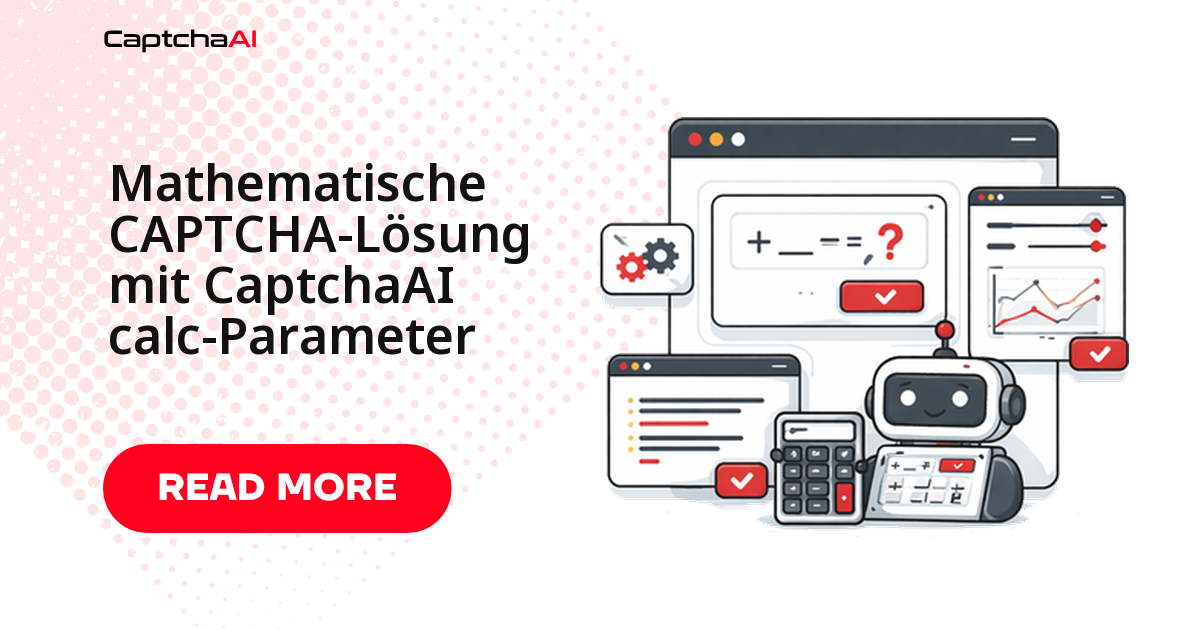
Die Erkennung liest das Bild fehlerfrei aus, das Formular weist die Eingabe trotzdem ab? Dann erwartet das Feld nicht den Ausdruck 3+7, sondern die Zahl 10. Genau dafür gibt es den Parameter calc: Mit calc=1 rechnet CaptchaAI die erkannte Gleichung aus und liefert das Ergebnis zurück – ein zusätzliches Feld im POST an in.php, keine eigene Rechenlogik in Ihrem Code.
Der Leitfaden zeigt den vollständigen Ablauf in Python – übermitteln, abfragen, validieren, eintragen – dazu die üblichen Rechenformate, die Grenzfälle (negative Werte, Dezimalstellen, ausgeschriebene Zahlen) und die Frage, wie viele Threads ein solcher Job braucht.
Was der Parameter calc steuert
Der Parameter ist ein Schalter mit zwei Zuständen und wird zusammen mit dem Bild an in.php gesendet:
calc-Wert |
Verhalten |
|---|---|
0 (Standard) |
Gibt den erkannten Text unverändert zurück (z. B. "3+7") |
1 |
Berechnet das Ergebnis und gibt es zurück (z. B. "10") |
Sinnvoll ist die Kombination mit numeric=1: Damit kündigen Sie an, dass die Antwort eine Zahl ist – das reduziert Verwechslungen zwischen 0 und O oder 1 und l. calc=0 bleibt richtig, wenn Ihre Anwendung Aufgabe und Ergebnis getrennt protokolliert.
Basisablauf: Bild übermitteln, Ergebnis abfragen
Technisch unterscheidet sich ein Rechen-CAPTCHA nicht von anderen Bild-CAPTCHAs: Sie senden das Base64-Bild an in.php, erhalten eine Task-ID und fragen das Ergebnis an res.php ab, bis der Status 1 lautet. Neu sind nur die Zeilen calc und numeric.
Zwei Details entscheiden über stabile Läufe: Warten Sie nach der Übermittlung einige Sekunden, bevor Sie das erste Mal abfragen. Und behandeln Sie CAPCHA_NOT_READY als normalen Zwischenstand; jede andere Abweichung ist ein echter Fehler und sollte sofort eine Exception auslösen, statt still im Retry-Loop zu verschwinden.
import requests
import base64
import time
import os

API_KEY = os.environ["CAPTCHAAI_API_KEY"]


def solve_math_captcha(image_b64):
    """Solve a math CAPTCHA — returns the computed result."""
    resp = requests.post("https://ocr.captchaai.com/in.php", data={
        "key": API_KEY,
        "method": "base64",
        "body": image_b64,
        "calc": 1,          # Compute the math
        "numeric": 1,       # Result will be a number
        "json": 1,
    }, timeout=30)

    result = resp.json()
    if result.get("status") != 1:
        raise RuntimeError(result.get("request"))

    task_id = result["request"]

    time.sleep(8)
    for _ in range(24):
        resp = requests.get("https://ocr.captchaai.com/res.php", params={
            "key": API_KEY, "action": "get",
            "id": task_id, "json": 1,
        }, timeout=15)
        data = resp.json()
        if data.get("status") == 1:
            return data["request"]
        if data["request"] != "CAPCHA_NOT_READY":
            raise RuntimeError(data["request"])
        time.sleep(5)

    raise TimeoutError("Solve timeout")


# Example: Image shows "3 + 7 = ?"
# With calc=0: Returns "3+7"
# With calc=1: Returns "10"
Der Rückgabewert ist immer ein String. Konvertieren Sie ihn nur, wenn Sie ihn wirklich als Zahl brauchen – für das Formularfeld genügt der String.
Welche Rechen-CAPTCHA-Formate in der Praxis vorkommen
Die Bandbreite ist überschaubar: meist Grundrechenarten mit ein- oder zweistelligen Zahlen, gelegentlich gemischte Ausdrücke oder ausgeschriebene Zahlwörter.
Format              Example        Result
─────────────────────────────────────────
Addition            3 + 7 = ?      10
Subtraction         15 - 8 = ?     7
Multiplication      4 × 6 = ?      24
Division            20 ÷ 5 = ?     4
Mixed               3 + 4 × 2 = ?  11
Text-based          "three plus five"  8
Punkt-vor-Strich wird berücksichtigt: 3 + 4 × 2 ergibt 11, nicht 14. Bei ausgeschriebenen Aufgaben wie „drei plus fünf“ ist die Erkennung sprachabhängig und spürbar unzuverlässiger als bei Ziffern – planen Sie dafür einen Fallback ein.
Ungewöhnliche Aufgaben mit textinstructions präzisieren
Wenn ein Formular die Aufgabe ungewöhnlich formuliert („Wie viel ergibt sieben plus vier?“) oder das Bild mehrere Zahlen enthält, hilft ein kurzer Hinweistext. textinstructions wird zusammen mit dem Bild übermittelt und beschreibt, was genau erwartet wird.
def solve_text_math_captcha(image_b64, instructions):
    """Solve a math CAPTCHA with custom instructions."""
    resp = requests.post("https://ocr.captchaai.com/in.php", data={
        "key": API_KEY,
        "method": "base64",
        "body": image_b64,
        "calc": 1,
        "textinstructions": instructions,
        "json": 1,
    }, timeout=30)
    return resp.json()


# Example instructions:
# "Solve the math expression and enter the number"
# "What is the result of the equation shown?"
# "Enter the sum of the two numbers"
Halten Sie die Anweisung kurz und eindeutig: Ein Satz mit einer klaren Aufforderung wirkt besser als mehrere Bedingungen. Bei einem deutschsprachigen Formular formulieren Sie den Hinweis ebenfalls auf Deutsch.
Vorverarbeitung: was die Erkennung wirklich verbessert
Bevor Sie an den Parametern drehen, lohnt ein Blick auf das Bild. Rechen-CAPTCHAs sind oft klein, kontrastarm und mit Störlinien überzogen:
- Hochskalieren auf mindestens die doppelte Höhe, bevor Sie das Bild als Base64 kodieren.
- Kontrast anheben und in Graustufen konvertieren.
- Rahmen zuschneiden, damit keine Begrenzungslinie als Minuszeichen gelesen wird.
- Störmuster glätten, etwa per Medianfilter – vorsichtig, damit dünne Ziffernstriche bleiben.
Grenzfälle absichern: negative Werte, Dezimalstellen, Fallback
Drei Fälle sorgen in der Praxis für abgelehnte Formulare, obwohl die Rechnung selbst stimmt:
- Negative Ergebnisse.
5 - 8 = ?liefert-3. Manche Felder akzeptieren das Minuszeichen nur ohne Leerzeichen – trimmen Sie den String, bevor Sie ihn eintragen. - Dezimalstellen. Eine Division geht nicht immer glatt auf. Erwartet das Formular eine Ganzzahl, muss Ihr Code entscheiden, ob gerundet oder abgebrochen wird.
- Keine verwertbare Zahl. Kommt trotz
calc=1ein Ausdruck zurück, holen Sie den Text mitcalc=0und rechnen lokal – kontrolliert und mit Prüfung, nicht mit einem ungeprüftenevalauf beliebigem Input.
Die folgende Hilfsfunktion deckt alle drei Fälle ab:
# edge_cases.py


def validate_math_result(answer):
    """Validate and clean math CAPTCHA result."""
    if not answer:
        return None

    # Remove spaces
    answer = answer.strip()

    # Handle negative results
    if answer.startswith("-"):
        try:
            return str(int(answer))
        except ValueError:
            return answer

    # Handle decimal results
    try:
        num = float(answer)
        if num == int(num):
            return str(int(num))
        return str(num)
    except ValueError:
        return answer


def solve_math_with_fallback(image_b64):
    """Try calc=1, fall back to manual parsing if needed."""
    # Try with calc
    result = solve_math_captcha(image_b64)

    # Validate result is actually a number
    try:
        float(result)
        return result
    except (ValueError, TypeError):
        pass

    # Fallback: solve without calc and compute locally
    resp = requests.post("https://ocr.captchaai.com/in.php", data={
        "key": API_KEY,
        "method": "base64",
        "body": image_b64,
        "calc": 0,      # Get the expression text
        "json": 1,
    }, timeout=30)

    # ... poll for result ...
    expression = "3+7"  # Example OCR result

    # Safely evaluate
    return str(safe_eval(expression))


def safe_eval(expression):
    """Safely evaluate a simple math expression."""
    # Only allow digits and basic operators
    import re
    cleaned = expression.replace("×", "*").replace("÷", "/").replace("=", "").replace("?", "")
    cleaned = cleaned.strip()

    if not re.match(r'^[\d\s+\-*/().]+$', cleaned):
        raise ValueError(f"Unsafe expression: {expression}")

    return eval(cleaned)  # Safe because we validated the pattern
Der reguläre Ausdruck in safe_eval ist die eigentliche Absicherung: Nur Ziffern, Grundrechenzeichen und Klammern passieren ihn – alles andere endet in einem ValueError, statt ausgeführt zu werden.
Selenium-Beispiel: vom Screenshot bis zum abgesendeten Formular
Im Browser-Test ist das CAPTCHA meist ein <img>-Element, dessen Screenshot Sie direkt als Base64 abgreifen können – ohne zweiten HTTP-Request, weil das Bild bereits im Browserkontext geladen ist.
Der Ablauf: Element finden, Screenshot als Base64 lesen, lösen lassen, Ergebnis in das Eingabefeld schreiben, Formular absenden.
# full_flow.py
from selenium import webdriver
from selenium.webdriver.common.by import By
import base64
import os


def solve_math_captcha_on_page(driver, captcha_selector, input_selector, submit_selector):
    """Complete flow: capture math CAPTCHA, solve, enter answer."""

    # Capture CAPTCHA image
    captcha_el = driver.find_element(By.CSS_SELECTOR, captcha_selector)
    image_b64 = captcha_el.screenshot_as_base64

    # Solve with calc=1
    answer = solve_math_captcha(image_b64)
    print(f"Math answer: {answer}")

    # Enter the computed result
    input_el = driver.find_element(By.CSS_SELECTOR, input_selector)
    input_el.clear()
    input_el.send_keys(answer)

    # Submit
    driver.find_element(By.CSS_SELECTOR, submit_selector).click()


# Usage
driver = webdriver.Chrome()
driver.get("https://example.com/form")

solve_math_captcha_on_page(
    driver,
    captcha_selector="#captcha-image",
    input_selector="#captcha-answer",
    submit_selector="#submit-btn",
)
Um diesen Ablauf herum gehört eine kurze Wiederholungslogik: Rendert die Seite nach dem Absenden ein neues CAPTCHA, war die Antwort falsch oder die Sitzung abgelaufen. Ein zweiter Versuch mit frischem Screenshot führt meist zum Ziel; nach dem dritten Fehlversuch sollte der Job abbrechen und Bild samt Antwort protokollieren.
Threads statt Lösungen: Durchsatz realistisch planen
Rechen-CAPTCHAs stehen selten allein. Meist sitzen sie vor Registrierungen, Kontaktformularen oder Login-Seiten, die ein Test- oder Monitoring-Job täglich hundertfach durchläuft.
Ein Beispiel: Eine Agentur prüft nachts von einem Hetzner-Server aus die Kontaktformulare von 40 Shopware-Instanzen, jede Prüfung enthält ein Rechen-CAPTCHA. Weil CaptchaAI pro Thread abrechnet – nicht pro Lösung – ist nicht das Volumen entscheidend, sondern wie viele Abfragen gleichzeitig laufen. Fünf parallele Worker bleiben im Rahmen von BASIC (15 $/Monat, 5 Threads); wer denselben Durchlauf in Sekunden statt Minuten erledigen will, braucht STANDARD (30 $/Monat, 15 Threads). Jeder Plan enthält unbegrenzte Lösungen pro Thread, alle Preise sind US-Dollar-Beträge.
Leiten Sie die Thread-Zahl also aus der gewünschten Laufzeit ab, nicht aus der Monatsmenge; bei Jobs aus einer GitLab-CI-Pipeline bestimmt deren Parallelität den Bedarf. Und wenn Sie Formulare ansprechen, die Sie nicht selbst betreiben, gehört die übliche Sorgfalt dazu: Nutzungsbedingungen prüfen, Rechtsgrundlage klären, Testdaten statt echter Kundendaten verwenden.
Fehlerbehebung
| Symptom | Ursache | Lösung |
|---|---|---|
| Antwort enthält den Ausdruck statt des Ergebnisses | calc=1 fehlt im POST |
Parameter ergänzen und erneut übermitteln |
| Ergebnis stimmt nicht | Operator falsch erkannt (× statt +) | textinstructions mit Formatbeschreibung mitschicken |
| Ganzzahlaufgabe liefert eine Dezimalzahl | Gleitkomma-Rückgabe | str(int(float(result))) anwenden |
ERROR_CAPTCHA_UNSOLVABLE |
stark verzerrte oder kontrastarme Gleichung | Bild aufhellen, zuschneiden, hochskalieren |
| Formular zeigt direkt ein neues CAPTCHA | Sitzung oder Formular-Token abgelaufen | Ergebnis unmittelbar nach dem Lösen absenden |
FAQ
Worin unterscheiden sich calc und numeric?
calc entscheidet, was zurückkommt: der Ausdruck oder das ausgerechnete Ergebnis. numeric beschreibt lediglich den erwarteten Zeichenvorrat und hilft der Erkennung, Ziffern von ähnlich aussehenden Buchstaben zu unterscheiden. Für Rechen-CAPTCHAs setzen Sie beide auf 1.
Funktioniert calc auch bei Klammern oder Potenzen?
Verlässlich abgedeckt sind die vier Grundrechenarten (+, -, ×, ÷). Ausdrücke mit Klammern oder Exponenten übermitteln Sie besser mit calc=0 und werten sie lokal aus – so behalten Sie die Kontrolle über die Auswertungsreihenfolge.
Was kostet das Lösen von 10.000 Rechen-CAPTCHAs pro Monat?
Nichts zusätzlich: Abgerechnet werden Threads, nicht einzelne Lösungen. Jeder Plan enthält unbegrenzte Lösungen pro Thread, Sie wählen die Stufe also nach der gewünschten Parallelität – BASIC mit 5 Threads, STANDARD mit 15 Threads, ADVANCE mit 50 Threads.
Wie schnell muss die Antwort im Formular landen?
So schnell wie möglich. Viele Formulare koppeln das CAPTCHA an die Sitzung; läuft sie ab, wird die Aufgabe neu erzeugt. Lösen Sie deshalb erst unmittelbar vor dem Absenden.
Verwandte Leitfäden
Rechenaufgaben automatisiert lösen statt manuell abtippen – mit CaptchaAI starten.