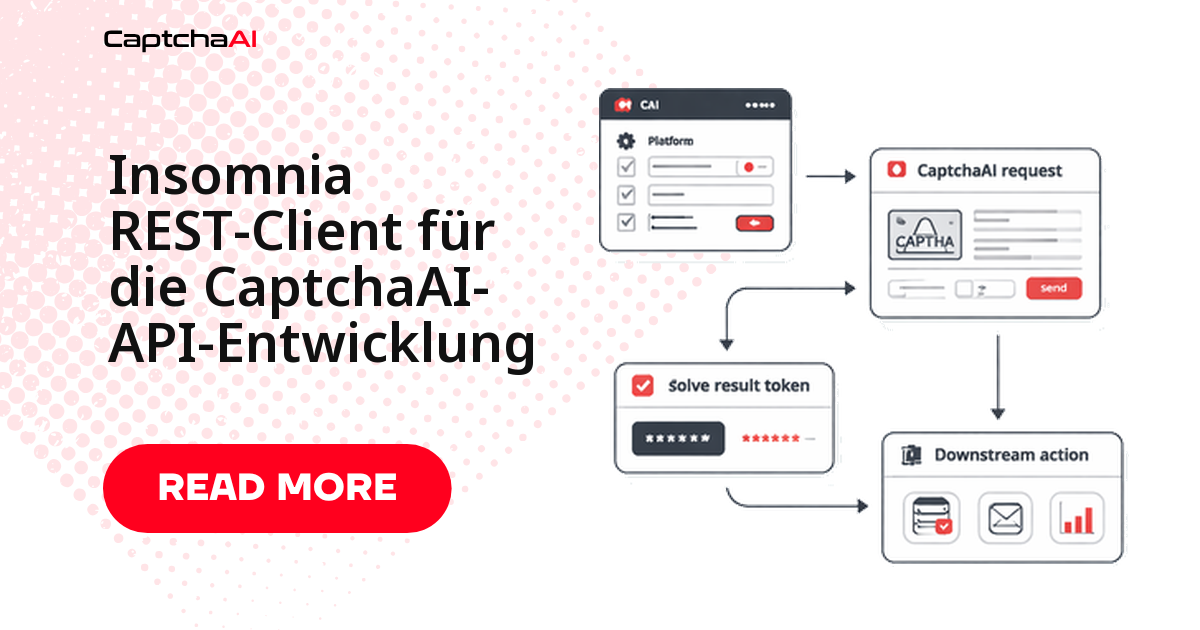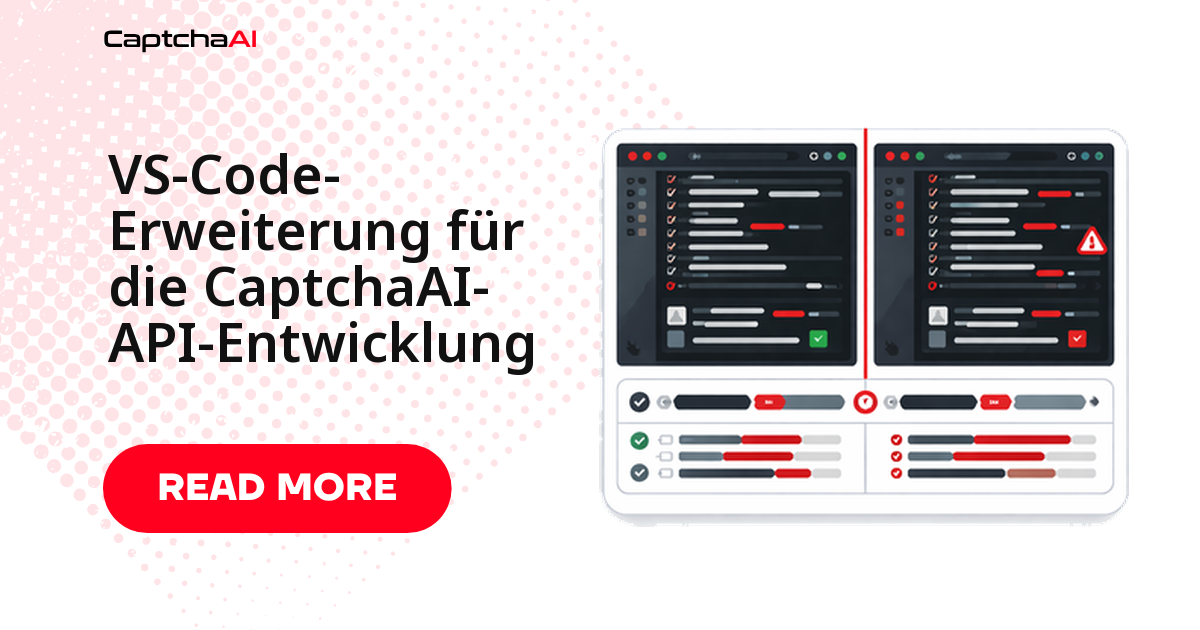
Wer die CaptchaAI-API integriert, springt beim Testen ständig zwischen Editor, Terminal und Browser: Sitekey heraussuchen, Solve-Request absenden, auf das Token warten, Ergebnis zurückkopieren. Eine eigene VS-Code-Erweiterung holt diese Schleife in die IDE – sie erkennt Sitekeys im Code, löst direkt aus dem Editor, zeigt das Guthaben in der Statusleiste und liefert fertige Snippets für die gängigen API-Muster.
Klären Sie vorab aber die wichtigere Frage: Brauchen Sie überhaupt eine? Der Aufwand rechnet sich vor allem, wenn der Solve-Workflow regelmäßig direkt neben dem Code läuft – nicht für den gelegentlichen Einzeltest.
Lohnt sich eine eigene Erweiterung?
| Situation | Erweiterung sinnvoll | Skript oder internes Tool oft besser |
|---|---|---|
| Ihr Team testet Solve-Flows täglich im Editor | Ja | – |
| Sitekeys, Snippets und Guthaben sollen direkt neben dem Code liegen | Ja | – |
| Nur ein gelegentlicher API-Test ist nötig | – | Ein kleines Skript genügt |
| Der Workflow läuft primär in CI (etwa GitLab CI), im Browser oder im Backend | – | Editor-Erweiterung bringt wenig Mehrwert |
In vielen DACH-Teams liegt die Pipeline in GitLab CI – dort wandert der Solve-Schritt ohnehin in die Automatisierung, und die Erweiterung bleibt ein Werkzeug für die lokale Entwicklung.
Was die Erweiterung leisten soll
| Funktion | Aufgabe |
|---|---|
| Guthaben in der Statusleiste | Zeigt den aktuellen CaptchaAI-Kontostand auf einen Blick |
| Solve-Befehl | Sendet einen CAPTCHA-Solve direkt aus VS Code |
| Sitekey-Erkennung | Findet und extrahiert Sitekeys aus der geöffneten Datei |
| Codeausschnitte | Fügt Boilerplate für reCAPTCHA-, Turnstile- und GeeTest-v3-API-Aufrufe ein |
| Fehler-Nachschlag | Zeigt beim Überfahren eines Fehlercodes dessen Beschreibung |
Zu den unterstützten Typen zählen reCAPTCHA v2/v3, Cloudflare Turnstile und GeeTest v3. hCaptcha und FunCaptcha werden nicht unterstützt – planen Sie dafür keine Snippets ein.
Projektstruktur anlegen
captchaai-vscode/
├── package.json
├── src/
│   └── extension.js
├── snippets/
│   ├── python.json
│   └── javascript.json
└── README.md
package.json deklariert Befehle und Einstellungen, src/extension.js enthält die Logik, snippets/ die Vorlagen.
package.json: Befehle und Einstellungen deklarieren
Hier registrieren Sie die Befehle für die Kommandopalette und die Einstellungen für API-Schlüssel, Guthabenanzeige und Poll-Intervall:
{
  "name": "captchaai-dev-tools",
  "displayName": "CaptchaAI Dev Tools",
  "description": "CaptchaAI API development tools for VS Code",
  "version": "1.0.0",
  "engines": { "vscode": "^1.80.0" },
  "categories": ["Snippets", "Other"],
  "activationEvents": ["onStartupFinished"],
  "main": "./src/extension.js",
  "contributes": {
    "commands": [
      {
        "command": "captchaai.checkBalance",
        "title": "CaptchaAI: Check Balance"
      },
      {
        "command": "captchaai.solveRecaptcha",
        "title": "CaptchaAI: Solve reCAPTCHA v2"
      },
      {
        "command": "captchaai.solveTurnstile",
        "title": "CaptchaAI: Solve Turnstile"
      },
      {
        "command": "captchaai.detectSitekey",
        "title": "CaptchaAI: Detect Sitekey in File"
      }
    ],
    "configuration": {
      "title": "CaptchaAI",
      "properties": {
        "captchaai.apiKey": {
          "type": "string",
          "default": "",
          "description": "Your CaptchaAI API key"
        },
        "captchaai.showBalance": {
          "type": "boolean",
          "default": true,
          "description": "Show balance in status bar"
        },
        "captchaai.pollInterval": {
          "type": "number",
          "default": 5,
          "description": "Poll interval in seconds"
        }
      }
    },
    "snippets": [
      {
        "language": "python",
        "path": "./snippets/python.json"
      },
      {
        "language": "javascript",
        "path": "./snippets/javascript.json"
      }
    ]
  }
}
Die Erweiterung implementieren
Der Kern in src/extension.js liest den API-Schlüssel, hält das Guthaben aktuell, übermittelt einen Solve an in.php und fragt res.php im gewählten Intervall ab, bis das Token vorliegt:
// src/extension.js
const vscode = require("vscode");

const API_BASE = "https://ocr.captchaai.com";

function getApiKey() {
  const config = vscode.workspace.getConfiguration("captchaai");
  const key = config.get("apiKey");
  if (!key) {
    vscode.window.showErrorMessage(
      "CaptchaAI: Set your API key in Settings → CaptchaAI"
    );
    return null;
  }
  return key;
}

// --- Balance Status Bar ---

let balanceStatusBar;
let balanceInterval;

async function updateBalance() {
  const key = getApiKey();
  if (!key) return;

  try {
    const url = new URL(`${API_BASE}/res.php`);
    url.searchParams.set("key", key);
    url.searchParams.set("action", "getbalance");
    url.searchParams.set("json", "1");

    const response = await fetch(url);
    const result = await response.json();

    if (result.status === 1) {
      const balance = parseFloat(result.request).toFixed(2);
      balanceStatusBar.text = `$(credit-card) CaptchaAI: $${balance}`;
      balanceStatusBar.tooltip = `CaptchaAI Balance: $${balance}`;
    } else {
      balanceStatusBar.text = "$(warning) CaptchaAI: Error";
    }
  } catch {
    balanceStatusBar.text = "$(warning) CaptchaAI: Offline";
  }
}

// --- Solve Command ---

async function solveCaptcha(method, extraFields) {
  const key = getApiKey();
  if (!key) return;

  const sitekey = await vscode.window.showInputBox({
    prompt: "Enter the CAPTCHA sitekey",
    placeHolder: "6LeIxAcTAAAAAJcZ...",
  });
  if (!sitekey) return;

  const pageurl = await vscode.window.showInputBox({
    prompt: "Enter the page URL",
    placeHolder: "https://example.com",
  });
  if (!pageurl) return;

  const params = {
    key,
    method,
    pageurl,
    json: 1,
    ...extraFields,
  };

  if (method === "userrecaptcha") {
    params.googlekey = sitekey;
  } else {
    params.sitekey = sitekey;
  }

  // Submit
  vscode.window.withProgress(
    {
      location: vscode.ProgressLocation.Notification,
      title: "CaptchaAI: Solving...",
      cancellable: true,
    },
    async (progress, cancellation) => {
      try {
        const submitResponse = await fetch(`${API_BASE}/in.php`, {
          method: "POST",
          body: new URLSearchParams(params),
        });
        const submitResult = await submitResponse.json();

        if (submitResult.status !== 1) {
          vscode.window.showErrorMessage(
            `CaptchaAI: ${submitResult.request || "Submit failed"}`
          );
          return;
        }

        const taskId = submitResult.request;
        progress.report({ message: `Task ${taskId} submitted` });

        // Poll
        const config = vscode.workspace.getConfiguration("captchaai");
        const interval = config.get("pollInterval") * 1000;

        for (let i = 0; i < 60; i++) {
          if (cancellation.isCancellationRequested) return;

          await new Promise((r) => setTimeout(r, interval));

          const pollUrl = new URL(`${API_BASE}/res.php`);
          pollUrl.searchParams.set("key", key);
          pollUrl.searchParams.set("action", "get");
          pollUrl.searchParams.set("id", taskId);
          pollUrl.searchParams.set("json", "1");

          const pollResponse = await fetch(pollUrl);
          const pollResult = await pollResponse.json();

          if (pollResult.request === "CAPCHA_NOT_READY") {
            progress.report({ message: `Waiting... (${(i + 1) * (interval / 1000)}s)` });
            continue;
          }

          if (pollResult.status === 1) {
            const token = pollResult.request;

            // Copy to clipboard
            await vscode.env.clipboard.writeText(token);
            vscode.window.showInformationMessage(
              `CaptchaAI: Solved! Token copied to clipboard (${token.length} chars)`
            );

            // Also insert at cursor if editor is active
            const editor = vscode.window.activeTextEditor;
            if (editor) {
              const action = await vscode.window.showQuickPick(
                ["Copy only", "Insert at cursor"],
                { placeHolder: "Token copied. Insert into editor?" }
              );
              if (action === "Insert at cursor") {
                editor.edit((editBuilder) => {
                  editBuilder.insert(editor.selection.active, token);
                });
              }
            }
            return;
          }

          vscode.window.showErrorMessage(
            `CaptchaAI: ${pollResult.request || "Solve failed"}`
          );
          return;
        }

        vscode.window.showErrorMessage("CaptchaAI: Solve timed out");
      } catch (err) {
        vscode.window.showErrorMessage(`CaptchaAI: ${err.message}`);
      }
    }
  );
}

// --- Sitekey Detection ---

async function detectSitekey() {
  const editor = vscode.window.activeTextEditor;
  if (!editor) {
    vscode.window.showWarningMessage("No active editor");
    return;
  }

  const text = editor.document.getText();
  const patterns = [
    { regex: /data-sitekey=["']([^"']+)["']/g, type: "HTML data-sitekey" },
    { regex: /googlekey['":\s]+["']([a-zA-Z0-9_-]{40})["']/g, type: "API googlekey" },
    { regex: /sitekey['":\s]+["']([a-zA-Z0-9_-]{20,})["']/g, type: "sitekey parameter" },
    { regex: /render=([a-zA-Z0-9_-]{40})/g, type: "reCAPTCHA render" },
  ];

  const found = [];
  for (const { regex, type } of patterns) {
    let match;
    while ((match = regex.exec(text)) !== null) {
      found.push({ key: match[1], type, position: match.index });
    }
  }

  if (found.length === 0) {
    vscode.window.showInformationMessage("No sitekeys found in current file");
    return;
  }

  const items = found.map((f) => ({
    label: f.key,
    description: f.type,
    detail: `Position: ${f.position}`,
    key: f.key,
  }));

  const selected = await vscode.window.showQuickPick(items, {
    placeHolder: `Found ${found.length} sitekey(s) — select to copy`,
  });

  if (selected) {
    await vscode.env.clipboard.writeText(selected.key);
    vscode.window.showInformationMessage(`Sitekey copied: ${selected.key}`);
  }
}

// --- Activation ---

function activate(context) {
  // Balance status bar
  const config = vscode.workspace.getConfiguration("captchaai");

  if (config.get("showBalance")) {
    balanceStatusBar = vscode.window.createStatusBarItem(
      vscode.StatusBarAlignment.Right,
      100
    );
    balanceStatusBar.command = "captchaai.checkBalance";
    balanceStatusBar.text = "$(credit-card) CaptchaAI";
    balanceStatusBar.show();

    updateBalance();
    balanceInterval = setInterval(updateBalance, 300000); // Every 5 minutes

    context.subscriptions.push(balanceStatusBar);
  }

  // Register commands
  context.subscriptions.push(
    vscode.commands.registerCommand("captchaai.checkBalance", async () => {
      await updateBalance();
      vscode.window.showInformationMessage(balanceStatusBar.tooltip);
    }),

    vscode.commands.registerCommand("captchaai.solveRecaptcha", () => {
      solveCaptcha("userrecaptcha", {});
    }),

    vscode.commands.registerCommand("captchaai.solveTurnstile", () => {
      solveCaptcha("turnstile", {});
    }),

    vscode.commands.registerCommand("captchaai.detectSitekey", detectSitekey)
  );
}

function deactivate() {
  if (balanceInterval) clearInterval(balanceInterval);
}

module.exports = { activate, deactivate };
Drei Details lohnen den Blick: Das Guthaben aktualisiert sich nur alle fünf Minuten (setInterval(updateBalance, 300000)), damit die Statusleiste nicht bei jedem Tastendruck die API belastet. Der Solve-Loop bricht nach 60 Durchläufen ab, damit ein hängender Task nicht endlos pollt. Und das Poll-Intervall (Standard: 5 Sekunden) stellen Sie über captchaai.pollInterval ein – wählen Sie es eher kurz, damit ein schnell gelöstes Token nicht unnötig lange in der Warteschleife hängt.
CAPTCHA aus dem Editor lösen
Nach der Installation öffnen Sie die Kommandopalette (Strg+Umschalt+P bzw. Cmd+Shift+P) und wählen CaptchaAI: Solve reCAPTCHA v2 oder CaptchaAI: Solve Turnstile. Die Erweiterung fragt Sitekey und Page-URL ab, übermittelt den Task an in.php und pollt res.php, bis das Ergebnis vorliegt. Das fertige Token landet in der Zwischenablage – auf Wunsch fügt die Erweiterung es direkt an der Cursorposition ein. Für die Sitekey-Erkennung genügt CaptchaAI: Detect Sitekey in File: Sie durchsucht die geöffnete Datei nach data-sitekey, googlekey und sitekey und kopiert den gewählten Wert.
Snippets für Python und JavaScript
Snippets sparen im Alltag am meisten Zeit: Über ein Präfix wie cai-recaptcha-v2 fügen Sie ein komplettes Submit-und-Poll-Muster ein und springen mit Tab durch die Platzhalter.
Python-Snippets
{
  "CaptchaAI reCAPTCHA v2": {
    "prefix": "cai-recaptcha-v2",
    "body": [
      "import requests",
      "",
      "# Submit reCAPTCHA v2 task",
      "response = requests.post(",
      "    \"https://ocr.captchaai.com/in.php\",",
      "    data={",
      "        \"key\": \"${1:YOUR_API_KEY}\",",
      "        \"method\": \"userrecaptcha\",",
      "        \"googlekey\": \"${2:SITE_KEY}\",",
      "        \"pageurl\": \"${3:https://example.com}\",",
      "        \"json\": 1,",
      "    },",
      ")",
      "task_id = response.json()[\"request\"]",
      "",
      "# Poll for result",
      "import time",
      "while True:",
      "    time.sleep(5)",
      "    result = requests.get(",
      "        \"https://ocr.captchaai.com/res.php\",",
      "        params={\"key\": \"${1}\", \"action\": \"get\", \"id\": task_id, \"json\": 1},",
      "    ).json()",
      "    if result[\"request\"] != \"CAPCHA_NOT_READY\":",
      "        token = result[\"request\"]",
      "        break"
    ],
    "description": "CaptchaAI reCAPTCHA v2 solve"
  },
  "CaptchaAI Turnstile": {
    "prefix": "cai-turnstile",
    "body": [
      "import requests",
      "",
      "response = requests.post(",
      "    \"https://ocr.captchaai.com/in.php\",",
      "    data={",
      "        \"key\": \"${1:YOUR_API_KEY}\",",
      "        \"method\": \"turnstile\",",
      "        \"sitekey\": \"${2:SITE_KEY}\",",
      "        \"pageurl\": \"${3:https://example.com}\",",
      "        \"json\": 1,",
      "    },",
      ")",
      "task_id = response.json()[\"request\"]"
    ],
    "description": "CaptchaAI Turnstile solve"
  },
  "CaptchaAI Balance Check": {
    "prefix": "cai-balance",
    "body": [
      "import requests",
      "",
      "balance = requests.get(",
      "    \"https://ocr.captchaai.com/res.php\",",
      "    params={\"key\": \"${1:YOUR_API_KEY}\", \"action\": \"getbalance\", \"json\": 1},",
      ").json()",
      "print(f\"Balance: \\${balance['request']}\")"
    ],
    "description": "CaptchaAI balance check"
  }
}
JavaScript-Snippets
{
  "CaptchaAI reCAPTCHA v2": {
    "prefix": "cai-recaptcha-v2",
    "body": [
      "const response = await fetch('https://ocr.captchaai.com/in.php', {",
      "  method: 'POST',",
      "  body: new URLSearchParams({",
      "    key: '${1:YOUR_API_KEY}',",
      "    method: 'userrecaptcha',",
      "    googlekey: '${2:SITE_KEY}',",
      "    pageurl: '${3:https://example.com}',",
      "    json: 1,",
      "  }),",
      "});",
      "const { request: taskId } = await response.json();",
      "",
      "// Poll for result",
      "let token;",
      "while (true) {",
      "  await new Promise(r => setTimeout(r, 5000));",
      "  const url = new URL('https://ocr.captchaai.com/res.php');",
      "  url.searchParams.set('key', '${1}');",
      "  url.searchParams.set('action', 'get');",
      "  url.searchParams.set('id', taskId);",
      "  url.searchParams.set('json', '1');",
      "  const result = await (await fetch(url)).json();",
      "  if (result.request !== 'CAPCHA_NOT_READY') {",
      "    token = result.request;",
      "    break;",
      "  }",
      "}"
    ],
    "description": "CaptchaAI reCAPTCHA v2 solve"
  }
}
Fehlerbehebung
Die häufigsten Stolpersteine liegen bei Netzwerkzugriff, hinterlegtem Schlüssel und Sprachmodus der Datei:
| Problem | Ursache | Lösung |
|---|---|---|
| Statusleiste zeigt „Offline“ | Die API ist aus VS Code nicht erreichbar | Netzwerk und Firewall prüfen; sicherstellen, dass ocr.captchaai.com erreichbar ist |
| Meldung „Set your API key“ | Der Schlüssel ist nicht hinterlegt | Einstellungen öffnen, nach „CaptchaAI“ suchen und den API-Schlüssel eintragen |
| Snippets erscheinen nicht | Falscher Sprachmodus der Datei | Sprachmodus prüfen (Python bzw. JavaScript), damit die Snippets greifen |
| Solve läuft in ein Timeout | Task fehlgeschlagen oder langsames Netz | Poll-Intervall erhöhen; Sitekey und Page-URL gegenprüfen |
| Sitekey-Erkennung findet nichts | Kein passendes Muster in der Datei | Prüfen, ob die Datei data-sitekey, googlekey oder sitekey enthält |
Häufige Fragen
Brauche ich zwingend eine Erweiterung, oder genügt ein CLI-Tool?
Für gelegentliche Tests genügt ein CLI-Tool oder ein kleines Skript. Eine Erweiterung lohnt sich erst, wenn Sie mehrmals täglich im Editor Sitekeys prüfen, Solves auslösen und Tokens einfügen.
Kann ich mit der Erweiterung hCaptcha oder FunCaptcha lösen?
Nein. CaptchaAI unterstützt hCaptcha und FunCaptcha nicht – die Beispiele enthalten dafür bewusst keine Aufrufe. Abgedeckt sind reCAPTCHA v2/v3, Cloudflare Turnstile und GeeTest v3; GeeTest v4 ist als „bald verfügbar“ angekündigt.
Wie speichere ich den API-Schlüssel sicher statt im Klartext?
VS-Code-Einstellungen liegen als JSON auf der Festplatte. Für mehr Sicherheit nutzen Sie die SecretStorage-API von VS Code, die den Schlüssel im Schlüsselbund des Betriebssystems statt im Klartext ablegt – gerade auf gemeinsam genutzten Rechnern.
Kostet jeder Solve aus dem Editor extra?
Nein. CaptchaAI rechnet pro gleichzeitigem Thread ab, nicht pro Lösung – jeder Plan enthält unbegrenzte Solves pro Thread. Der BASIC-Tarif (15 $/Monat, 5 Threads) reicht für lokale Entwicklung meist aus; ob zehn oder tausend Testsolves pro Tag, der Monatspreis bleibt gleich.
Verwandte Leitfäden
- CaptchaAI-API-Schlüssel mit Umgebungsvariablen absichern
- Schnellstart: CaptchaAI in wenigen Minuten einrichten
- API-Antwortformate und Fehlercodes verstehen